
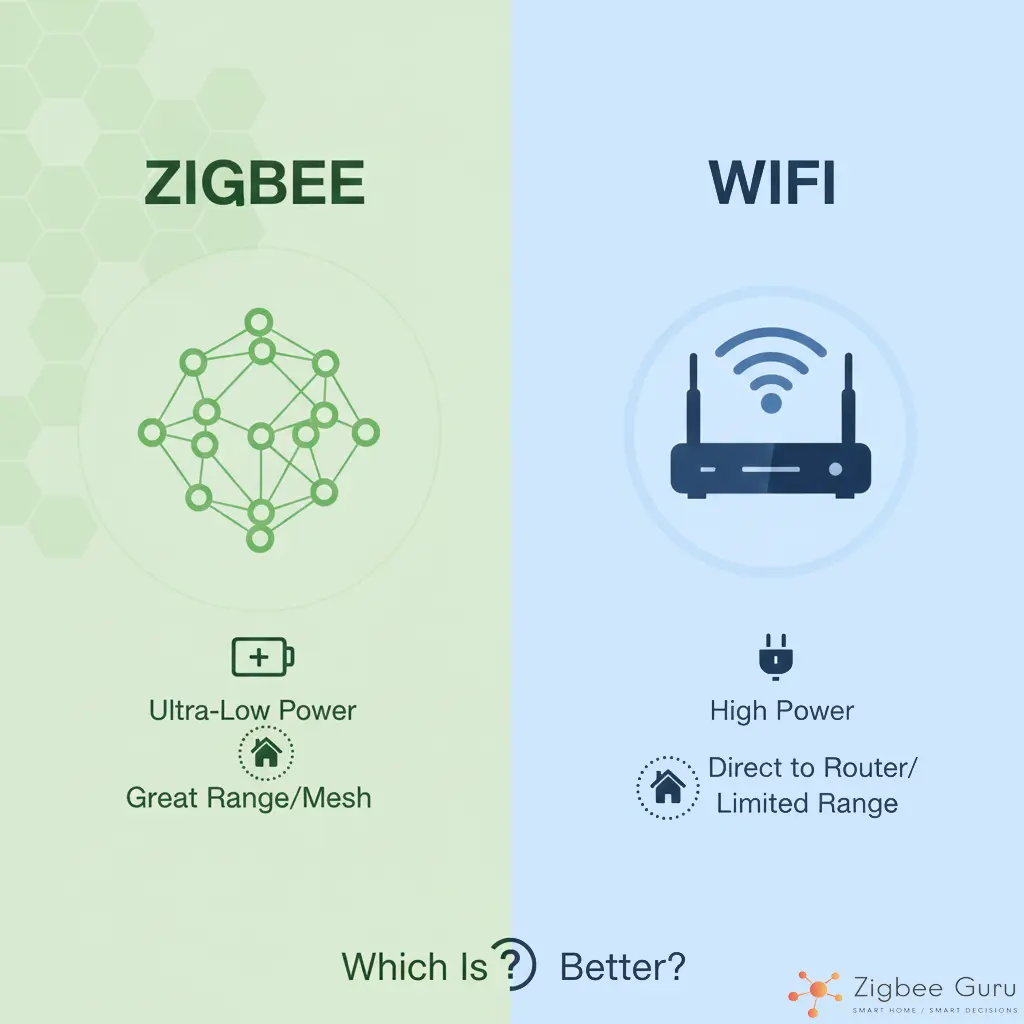
When building a smart home, one of the first decisions users face is whether to choose Zigbee or rely entirely on WiFi smart devices. Both options are popular, but they work very differently — and choosing the wrong one can lead to dropped connections, slow automations, and battery-draining sensors.
This guide compares Zigbee vs WiFi in a practical, beginner-friendly way. We cover performance, range, power consumption, reliability, pricing, and long-term future to help you decide which technology is better for your home in 2025.
Table of Contents
- What Is Zigbee?
- What Are WiFi Smart Devices?
- Zigbee vs WiFi: Quick Overview
- Range & Coverage
- Power Consumption
- Reliability & Interference
- Scalability (How many devices?)
- Do You Need a Hub?
- Which Is Better for Your Smart Home?
- Conclusion
- FAQ
What Is Zigbee?
Zigbee is a low-power wireless protocol created specifically for smart home devices such as sensors, switches, plugs, and lights. It runs on IEEE 802.15.4 and is optimized for reliability, long battery life, and local automation.
Instead of connecting every device directly to your router (like WiFi), Zigbee uses a mesh network where devices pass signals between each other. This creates a more stable and energy-efficient smart home.
- Coordinator: Inside your Zigbee hub (Aqara, Sonoff, IKEA Dirigera).
- Routers: Smart plugs/bulbs that extend coverage.
- End Devices: Battery sensors that last years.
Zigbee’s ecosystem is huge: Aqara, Philips Hue, IKEA, Sonoff, Tuya, and many others rely on it. You can read the full introduction here: What Is Zigbee? The Essential 2025 Guide.
What Are WiFi Smart Devices?
WiFi smart devices connect directly to your home router without needing a hub. These include cameras, video doorbells, robot vacuums, smart speakers, and many budget smart plugs or bulbs.
The benefit is simplicity — no hub required. But WiFi has limitations when many devices try to connect at once, especially on low-end routers.
- Great for high-bandwidth devices (cameras, speakers)
- Easy setup
- But high energy usage
- And routers struggle with too many WiFi devices
Zigbee vs WiFi: Quick Overview
Before we dive into details, here is a quick side-by-side comparison of Zigbee vs WiFi for smart home use:
| Aspect | Zigbee | WiFi Smart Devices |
|---|---|---|
| Primary Use | Sensors, switches, plugs, low-power devices | Cameras, speakers, TVs, high-bandwidth devices |
| Network Type | Low-power mesh network | Direct connection to router |
| Energy Usage | Very low | High |
| Max Devices (Typical Home) | Dozens without issue | Routers often struggle with 20–30 devices |
| Reliability | Improves as you add routers | Can drop with overload |
In simple terms: Zigbee is built for many tiny, efficient devices, while WiFi is built for a smaller number of powerful devices.
Range & Coverage
Range is one of the biggest differences between Zigbee and WiFi smart devices.
Zigbee Range
Zigbee uses a mesh network, so every powered Zigbee router (smart plug, bulb, in-wall switch) helps extend the coverage. The more devices you add, the stronger and wider your network becomes.
- Ideal for multi-room and multi-floor homes.
- Weak spots can be fixed by adding an extra smart plug.
- No need to install multiple WiFi repeaters just for sensors.
WiFi Range
WiFi coverage depends mainly on your router and, in some cases, mesh WiFi nodes. Most budget routers struggle to provide strong signal in all corners of the house, especially through thick walls.
- Great in the same room as the router.
- Can become unreliable in distant rooms or basements.
- Adding more WiFi devices does not increase coverage.
Range verdict: Zigbee wins for whole-home coverage, especially in apartments and houses with many walls.
Power Consumption
Energy use is critical, especially if your smart home has dozens of devices.
Zigbee Power Consumption
Zigbee sensors are engineered for extremely low energy use. Many motion sensors, door sensors, and temperature sensors can last 1–3 years on a single battery. This is one of the main reasons why manufacturers prefer Zigbee for battery-powered devices.
WiFi Power Consumption
WiFi requires more power to maintain a constant connection. This is fine for mains-powered devices (cameras, speakers), but it makes WiFi a poor choice for battery sensors.
- WiFi sensors often need frequent charging or larger batteries.
- Zigbee sensors are typically “install and forget” for months or years.
Power verdict: For sensors and small devices, Zigbee is clearly more efficient. WiFi remains suitable for larger, always-powered devices.
Reliability & Interference
Reliability is one of the most important factors when comparing Zigbee vs WiFi smart devices. Automations must trigger instantly — without delays or random disconnects.
Zigbee Reliability
Zigbee is built for automation. It uses tiny data packets, local routing, and a mesh architecture designed to avoid congestion.
- Less interference compared to WiFi.
- Mesh network increases stability as more devices are added.
- Automations run even without internet (local processing).
WiFi Reliability
WiFi becomes unstable when too many IoT devices connect to a single router. Most home routers are not designed for 30–50 smart devices.
- Congestion increases latency.
- Cheaper routers may freeze or throttle connections.
- Some WiFi devices rely heavily on cloud servers.
Reliability verdict: Zigbee is significantly more stable for automations, especially in homes with many devices.
Scalability (How Many Devices?)
A modern smart home often includes 20–60 devices. Scalability matters.
Zigbee Scalability
Zigbee is designed to support dozens — sometimes hundreds — of devices on the same network.
- Adding more routers strengthens the network.
- Battery sensors remain extremely efficient.
- Mesh architecture prevents overloading.
WiFi Scalability
Even premium routers slow down when overloaded with IoT devices. Many users experience unstable automations once they pass ~20 WiFi devices.
- Each device competes for bandwidth.
- Low-end routers choke quickly.
- WiFi range extenders often introduce latency.
Scalability verdict: Zigbee wins for large smart homes with many small devices.
Do You Need a Hub?
This is often the deciding factor for beginners.
Zigbee requires a hub (or coordinator) for pairing and network management. Examples:
- Aqara Hub M3
- IKEA Dirigera
- SmartThings Hub
- Sonoff Zigbee Bridge Pro
- Home Assistant + SkyConnect
This may seem like a downside, but the hub provides:
- Local automation
- Better reliability
- Low-power communication
- A future-proof ecosystem
WiFi does not require a hub — devices connect directly to your router. Easy setup, but higher load and less local control.
Hub verdict:
If you want simplicity → WiFi.
If you want stability → Zigbee.
Which Is Better for Your Smart Home?
Both options have strengths — it depends on your goals.
Choose Zigbee if:
- You want reliable automations
- You plan to install many sensors
- You don’t want to overload your WiFi network
- You want long battery life
- You prefer local processing over cloud services
Choose WiFi devices if:
- You mainly use cameras, speakers, or high-power devices
- You want the simplest setup possible
- You don’t mind cloud reliance
- You have a strong mesh WiFi system
Most homes use both: Zigbee for sensors + WiFi for cameras and streaming devices.
Conclusion
Zigbee and WiFi smart devices each have their strengths, but they serve different purposes. Zigbee excels in low-power, high-reliability automations with dozens of sensors, while WiFi shines with high-bandwidth devices like cameras, speakers, and streaming products. For most homes in 2025, the ideal smart home is a combination of both technologies.
If you plan to build a reliable automation system with long-lasting sensors, Zigbee is the clear winner. If you want the easiest setup for powerful devices, WiFi works perfectly. In practice, a hybrid approach gives you the flexibility and performance needed for a truly smart home.
FAQ: Zigbee vs WiFi
Here are the most common questions homeowners ask before choosing between Zigbee and WiFi smart devices.
- Is Zigbee more reliable than WiFi?
Yes. Zigbee uses a mesh network that becomes more stable as you add devices, while WiFi can struggle with too many IoT connections. - Do I need a Zigbee hub?
Yes, Zigbee requires a hub (Aqara, SmartThings, IKEA, Sonoff, or Home Assistant). The hub provides local automation and better reliability. - Can WiFi handle many smart devices?
Most routers cannot handle dozens of IoT devices reliably. Zigbee is designed for large networks, while WiFi is best for high-bandwidth devices. - Which technology has better range?
Zigbee extends range through mesh networking. WiFi range depends on your router or mesh WiFi system. - Is Zigbee more energy-efficient?
Yes. Zigbee sensors can last 1–3 years on a single battery, while WiFi sensors consume much more energy.



