
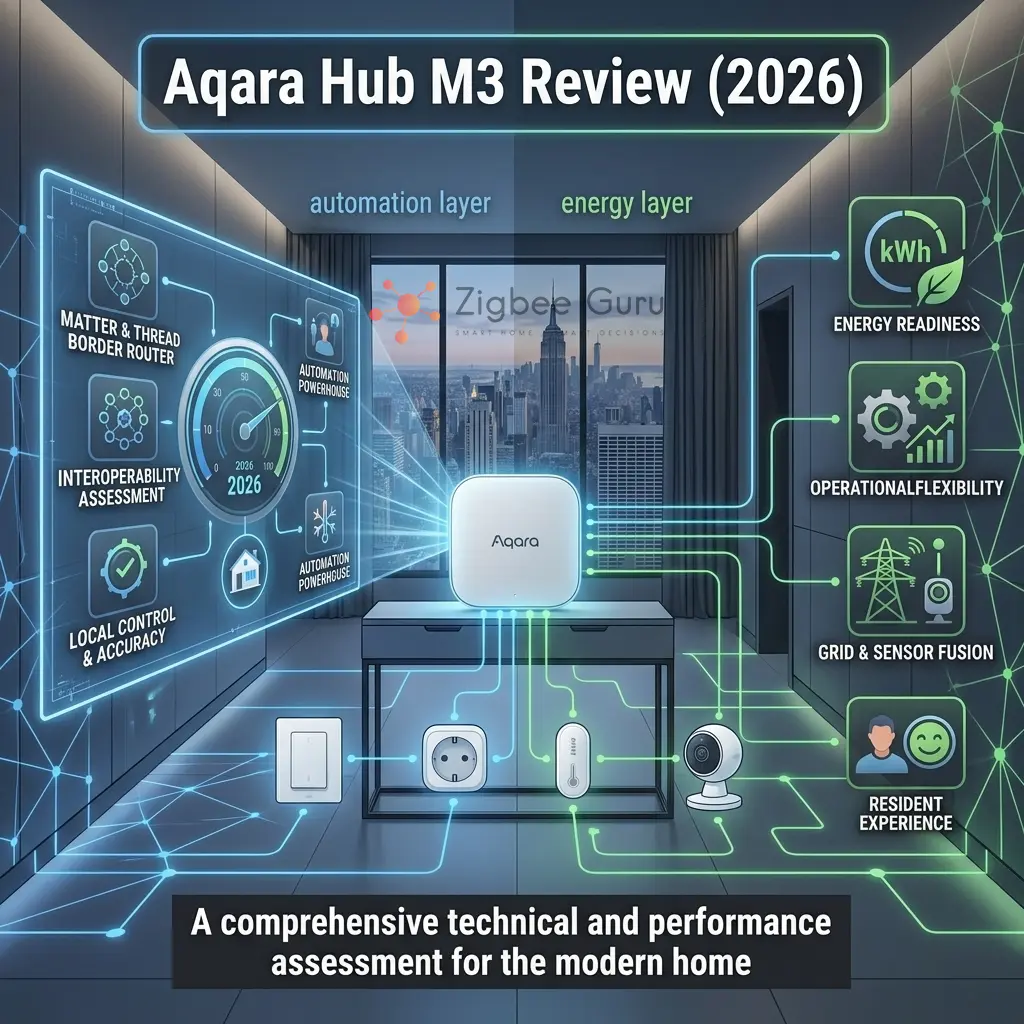
Aqara’s Hub M3 is positioned as a “centre piece” device for modern smart homes: a Zigbee hub that also participates in the Matter + Thread ecosystem. In EU homes, the real question is not brand — it is architecture: where the hub sits in your network and what it can expose to other platforms.
Zigbee and Thread both run on IEEE 802.15.4 at 2.4 GHz, while Matter is an application layer protocol over IP. That stack is powerful, but it also means interoperability depends on firmware, device types, and how clean your RF conditions are in apartments.
This review focuses on engineering reality: what the hub does well, where the limits typically appear, and how to deploy it as part of a stable EU smart home. 👉 Check Price on Amazon (affiliate)
Table of Contents
- Overview: What the Aqara Hub M3 Is
- Key Specs & Technical Details
- Pros and Cons
- Architecture: Zigbee, Matter, and Thread in One Hub
- Matter + Thread Behavior in Real Homes
- Zigbee Bridging to Matter: What to Expect
- Local vs Cloud: Where Control Actually Runs
- Home Assistant Integration Patterns
- Aqara M3 vs M2 vs Sonoff iHost vs SmartThings
- EU Deployment Notes (230V, Placement, RF)
- Stability Checklist (Mesh, Channels, Interference)
- Verdict: Who Should Buy the Aqara Hub M3?
- Conclusion
- FAQ
Overview: What the Aqara Hub M3 Is
The Aqara Hub M3 is a multi-protocol hub designed to connect Zigbee devices and participate in the Matter ecosystem as a controller and, in many deployments, a Thread Border Router. Its core value is consolidation: one hub that can anchor an Aqara Zigbee network while presenting parts of that network to Matter controllers.
In practice, the “best hub” is the one that matches your control plane. If you want a vendor-managed experience with Matter exposure, this device can fit. If you want maximum transparency and device-level tuning, a dedicated Zigbee coordinator and a local controller may still be a better architecture.
- Best fit: users who want Zigbee devices plus Matter interoperability with minimal manual configuration.
- Not a fit: users who require deep Zigbee cluster-level control for every device type and advanced diagnostics.
- Key dependency: what your current firmware exposes to Matter, and which device categories are supported.
Key Specs & Technical Details
Before evaluating a hub, it helps to understand what is actually inside. The M3 is meaningfully different from its predecessors in radio capability and ecosystem reach.
| Spec | Detail |
|---|---|
| Zigbee | Zigbee 3.0 coordinator — up to 127 Zigbee/Thread child devices |
| Thread | Thread Border Router — bridges Thread mesh to home IP network |
| Matter | Matter controller + Matter Bridge (exposes Aqara Zigbee devices as Matter accessories) |
| IR blaster | Built-in IR transmitter for legacy AV and AC control |
| Connectivity | Wi-Fi 2.4 GHz (802.11 b/g/n) + Ethernet RJ45 |
| Power | 5V DC via USB-C; typical standby ~2 W |
| Ecosystem | Apple Home, Google Home, Amazon Alexa, SmartThings via Matter Multi-Admin |
| Local automation | Yes — Aqara app scenes run locally; some features cloud-dependent |
| App | Aqara Home (iOS / Android) |
| CE marking | Yes — CE/RED certified for EU market |
| Dimensions | 86 × 86 × 26 mm (approx.) |
👉 Check Price on Amazon (affiliate)
Pros and Cons
The M3 is a capable hub with clear strengths and specific limitations. Understanding both helps you decide whether it is the right fit for your home.
| ✓ Pros | ✗ Cons |
|---|---|
| Native Matter bridge — no extra bridge hardware needed | Cloud account required for initial setup and pairing |
| Thread Border Router built in — supports low-power Matter over Thread devices | Advanced Zigbee diagnostics (LQI maps, routing tables) limited vs ZBDongle + Zigbee2MQTT |
| Multi-Admin via Matter — works with Apple Home, Google Home and Alexa simultaneously | Higher price than Sonoff iHost or a bare ZBDongle-P setup |
| IR blaster included — useful for legacy AC and AV control | Zigbee bridging to Matter is category-limited; exotic clusters may not expose cleanly |
| Ethernet port — stable wired connection for the hub | No local Matter commissioning without Aqara app cloud step |
| Up to 127 Zigbee/Thread devices — good for medium-large homes | Feature set behind Aqara app; third-party control depth varies |
| Clean EU certification (CE/RED) | Zigbee and Thread share 2.4 GHz — RF planning required in dense apartments |
Architecture: Zigbee, Matter, and Thread in One Hub
To evaluate a multi-protocol hub, separate radio layers from application layers. Zigbee and Thread are both built on IEEE 802.15.4 at 2.4 GHz, while Matter is the application language running over IP (Wi-Fi/Ethernet/Thread). This is why Zigbee and Thread can coexist, but also why they can interfere when RF is unmanaged.
Think of the hub as a translator and coordinator: it maintains a Zigbee network, and it can present selected devices to Matter as bridged endpoints. The official Matter specification and updates are maintained by the Connectivity Standards Alliance.
| Layer | Technology | What it does |
|---|---|---|
| Radio | Zigbee (802.15.4) | Low-power mesh for sensors, switches, and lighting control |
| Radio | Thread (802.15.4 + IPv6) | IP-based low-power mesh used by Matter over Thread |
| Application | Matter | Standard device model and interoperability over IP |
| Control plane | Controller / Admin | Where pairing, permissions, and automation logic live |
Matter + Thread Behavior in Real Homes
Matter improves cross-platform interoperability, but real-world behavior depends on your controller(s), border router placement, and how multi-admin is implemented. In mixed ecosystems, you may see differences in which features are exposed, even when a device is Matter-certified.
Thread is a low-power IPv6 mesh. In apartments, Thread stability depends on clean 2.4 GHz RF and sensible border router placement. Because Thread and Zigbee share the same band, the most common failure mode is not “Matter is broken” but “RF is congested.”
- Expect variation: feature exposure can differ across controllers even for the same Matter device category.
- Plan for redundancy: stable smart homes avoid single points of RF failure and avoid moving border routers frequently.
- Keep it local-first: use local control paths where possible to reduce cloud dependency and latency.
Zigbee Bridging to Matter: What to Expect
Bridging Zigbee to Matter is not a 1:1 “device clone.” A bridge typically maps Zigbee functions into Matter’s device model, which can be excellent for common categories (lights, plugs, basic sensors) and limited for vendor-specific features (custom clusters, niche attributes, unusual multi-endpoint devices).
The benefit is interoperability: a Zigbee device can appear in a Matter ecosystem without replacing hardware. The limitation is abstraction: if a feature is not represented cleanly in Matter (or not implemented by the bridge firmware), it may not be available outside the vendor ecosystem.
- Typically strong: on/off, dimming, basic sensor states, simple energy reporting when supported.
- Typically weaker: advanced sensor calibration, device-specific modes, deep diagnostics.
- Operational rule: treat bridging as “good enough interoperability,” not “full device parity.”
Local vs Cloud: Where Control Actually Runs
Multi-protocol hubs often provide a local radio network but still rely on cloud services for account linking, remote access, and some automation logic. For engineering-grade stability, you should assume the cloud is optional and design core automations to run locally whenever the platform allows it.
A practical approach is to define a “minimum viable local home”: essential lighting and safety automations must work with the internet down, while convenience features (remote dashboards, voice assistants, analytics) can depend on external services.
- Local-first target: lights, occupancy-based scenes, leak detection alerts, basic HVAC triggers.
- Cloud-tolerant: remote notifications outside LAN, voice assistants, vendor-only dashboards.
- Security baseline: strong accounts, limited integrations, and minimal exposed services.
Home Assistant Integration Patterns
Home Assistant can interact with Matter networks as a controller and can run Zigbee using a dedicated coordinator (ZHA or Zigbee2MQTT). With a vendor hub in the middle, you typically choose one of two architectures: use the hub as a Matter bridge into Home Assistant, or keep Zigbee directly under Home Assistant and use Matter/Thread separately.
If your goal is maximum transparency and tuning, a direct Zigbee coordinator under Home Assistant is usually the most controllable design. If your goal is mixed-ecosystem interoperability with minimal setup, a Matter bridge approach can be practical. For Zigbee fundamentals, see What Is Zigbee? A Complete 2026 Guide.
| Architecture | What Home Assistant controls | Typical trade-off |
|---|---|---|
| Matter bridge approach | Bridged devices via Matter | Simpler integration, less device-level depth |
| Direct Zigbee approach | Zigbee devices via ZHA/Zigbee2MQTT | More control, more responsibility for RF and firmware |
| Hybrid split | Zigbee direct + Matter/Thread separate | Best control, more planning required |
Aqara M3 vs M2 vs Sonoff iHost vs SmartThings
The M3 is not the only option. Here is how it compares to the closest alternatives for EU homes in 2026, across the dimensions that matter most for architecture decisions.
| Feature | Aqara Hub M3 | Aqara Hub M2 | Sonoff iHost | SmartThings (Aeotec v3) |
|---|---|---|---|---|
| Zigbee 3.0 | ✓ | ✓ | ✓ | ✓ |
| Thread Border Router | ✓ | ✗ | ✗ (add-on only) | ✗ (v3) / ✓ (Hub 2) |
| Matter Bridge | ✓ Native | ✗ | ✓ via add-on | ✓ |
| Matter Controller | ✓ | ✗ | ✓ via add-on | ✓ |
| IR Blaster | ✓ | ✓ | ✗ | ✗ |
| Ethernet port | ✓ | ✓ | ✓ | ✓ |
| Local automation | Partial | Partial | Full local | Partial |
| Home Assistant path | Via Matter bridge | Via Matter or ZHA | Direct ZHA/Z2M | Via SmartThings integration |
| Max Zigbee devices | ~127 | ~64 | ~128 | Household scale |
| Typical EU price | €80–110 | €50–70 | €60–90 | €100–140 |
| Best for | Apple/multi-ecosystem + Thread | Classic Aqara setup, no Thread needed | Local-first HA power users | Multi-brand managed ecosystem |
👉 Aqara Hub M3 — Check Price on Amazon (affiliate)
👉 Aqara Hub M2 — Check Price on Amazon (affiliate)
👉 Sonoff iHost — Check Price on Amazon (affiliate)
👉 SmartThings / Aeotec Hub — Check Price on Amazon (affiliate)
For a full breakdown of all hub options, see: Best Zigbee Hubs for EU Homes (2026).
EU Deployment Notes (230V, Placement, RF)
EU deployment success is mostly physical: power, placement, and RF. Ensure the power adapter and plug format match your region, and prefer stable Ethernet when possible for hubs that act as controllers. Stable networking reduces “phantom” reliability issues that are actually DHCP or Wi-Fi roaming problems.
Place the hub away from Wi-Fi access points, metal cabinets, and dense cable bundles. Zigbee and Thread both live in 2.4 GHz, so proximity to noisy sources (USB 3.0 devices, routers, dense AP clusters) can reduce link margin and increase retries.
- Placement target: central location, open air, not behind a TV or inside a cabinet.
- Network target: fixed IP or stable DHCP lease for predictable controller discovery.
- RF target: reduce overlap with Wi-Fi, keep distance from 2.4 GHz antennas.
- Compliance note: use CE-marked power supplies and avoid improvised adapters for permanent installs.
Stability Checklist (Mesh, Channels, Interference)
Most hub complaints are downstream of mesh design. A good Zigbee network is built around always-powered routers, sensible spacing, and a channel plan that respects EU Wi-Fi patterns (commonly channels 1, 6, 11). Thread adds another 802.15.4 mesh, so the need for RF discipline increases.
If you see intermittent device drops, treat it as a link-budget problem first: distance, walls, metal, and interference. Software resets should be the last step, not the first. See also: Why Zigbee Devices Lose Connection (Real Fixes).
- Router density: add mains-powered routers to cover weak zones and reduce long hops.
- Channel planning: avoid heavy overlap with your Wi-Fi channel; keep Wi-Fi fixed, not auto.
- Power stability: always-on hubs and routers prevent route churn and slow rebuild cycles.
- Change control: avoid frequent controller migrations; it can trigger re-commissioning work.
Interoperability improves with standards, but reliability is still physics: clean RF, stable power, and a mesh designed for EU buildings.
Verdict: Who Should Buy the Aqara Hub M3?
The M3 is the right hub when you want a single device that bridges your Aqara Zigbee ecosystem into the Matter world — cleanly, without DIY configuration. It is the strongest “polished” option in EU homes where Apple Home, Google Home or Alexa are the primary control surfaces.
| If you are… | Recommendation |
|---|---|
| Apple-first household wanting Matter + Aqara sensors | ✓ Buy the M3 — best integration path |
| Google or Alexa user wanting multi-ecosystem Matter | ✓ Buy the M3 — Multi-Admin works well |
| Home Assistant power user wanting deep Zigbee control | ✗ Consider ZBDongle-P/E or Sonoff iHost instead |
| Already running Aqara M2 and happy with it | ⚠ Only upgrade if you need Thread or Matter bridging |
| Tight budget, don’t need Thread | ✗ Aqara M2 or Sonoff iHost will serve you well at lower cost |
| Building a new EU smart home from scratch | ✓ M3 is a solid foundation if budget allows |
In terms of value for money, the M3 sits in the €80–110 range — higher than alternatives, but justifiable if Thread Border Router + native Matter bridge is what you actually need. For pure Zigbee without Matter, the M2 at half the price covers most use cases.
👉 Check Current Price on Amazon (affiliate)
Conclusion
The Aqara Hub M3 makes sense when you want a vendor hub that can participate in the Matter ecosystem while maintaining a Zigbee device fleet. Its strongest use case is consolidation: one hub that can bridge selected devices into cross-platform control without rebuilding your entire network.
The main limitations are typical for bridging architectures: feature exposure depends on firmware and device categories, and multi-protocol 2.4 GHz environments demand careful placement and channel planning. If you design the RF layer properly, the hub can be a stable building block in an EU smart home.
For related reading: Aqara vs Tuya Zigbee Ecosystem: Full Comparison and Best Matter Controllers & Thread Border Routers for EU Homes.
FAQ
- Is the Aqara Hub M3 worth it over the M2?
If you need a Thread Border Router and native Matter bridge, yes. If your home is purely Aqara-centric and you do not plan to add Matter/Thread devices, the M2 is a more cost-effective choice. - Is this hub a Matter controller or only a bridge?
In most deployments it is used as a controller for its ecosystem and as a bridge that can expose selected devices to Matter. The exact behavior depends on firmware and enabled features. - Does it replace a dedicated Zigbee coordinator for Home Assistant?
It can, if you accept bridging and the feature set exposed through the integration path. If you need deep Zigbee tuning and diagnostics, a direct coordinator (ZBDongle-P/E) under Home Assistant is usually more flexible. - Can Zigbee and Thread interfere with each other?
Yes. Both use IEEE 802.15.4 at 2.4 GHz. Good placement and Wi-Fi/Zigbee channel planning reduce collisions and retries. - Will it work locally if the internet is down?
Zigbee and local control paths can keep working, but some features (remote access, account services, or cloud-based logic) may not. Design core automations to run locally. - What is the most common EU mistake when deploying this hub?
Placing the hub next to a Wi-Fi router or inside a cabinet. In dense apartments, that placement can reduce link quality and cause intermittent drops. - How many Zigbee devices can the M3 handle?
Up to approximately 127 Zigbee and Thread child devices, assuming good router density. For larger installations above that limit, consider splitting across two coordinators. - Should I change Zigbee channels often to “fix” instability?
No. Channel changes are disruptive and can trigger rejoin behavior. Fix RF placement and router density first, then change channels only if interference is confirmed.



