
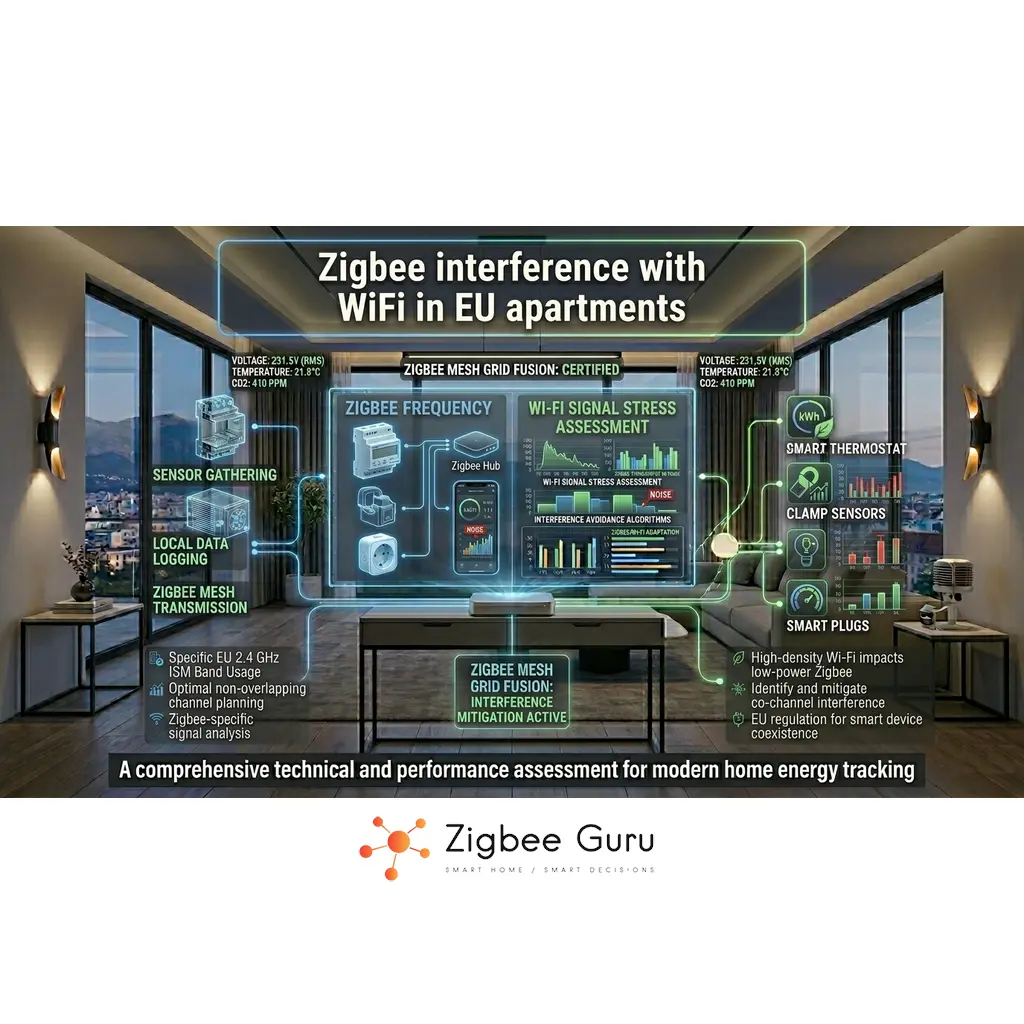
Zigbee and Wi-Fi share the same 2.4 GHz ISM band, so interference is a real engineering constraint in European apartment blocks. The symptoms are usually subtle: delayed automations, random device drop-offs, and periodic “offline” sensors that recover on their own.
In EU apartments, coexistence is harder because Wi-Fi often uses channels 1–13, neighbors are close, and walls are reinforced concrete. A stable setup needs channel planning, correct hub/coordinator placement, and a mesh designed for retries—not a single long link.
This guide is the symptom-driven counterpart to our channel-selection deep-dive in Zigbee Channels in EU Homes: it focuses on diagnosing interference in real apartments, what the symptoms actually mean at 802.15.4 level, and what to fix first. For Zigbee protocol basics, see What Is Zigbee?.
Table of Contents
- Overview: Why EU Apartments Are Challenging
- 2.4 GHz Spectrum: Where Wi-Fi and Zigbee Collide
- How Wi-Fi Actually Interferes With Zigbee
- Apartment-Specific RF Factors
- Channel Planning: The Short Version
- Coordinator Placement and Local Noise Sources
- Mesh Design That Survives Interference
- Troubleshooting Workflow and Metrics
- Conclusion
- FAQ
Overview: Why EU Apartments Are Challenging
Zigbee uses IEEE 802.15.4 at 2.4 GHz (channels 11–26), while Wi-Fi uses 802.11 at 2.4 GHz (channels 1–13 in Europe). When both operate in the same physical space, they contend for airtime and energy, even if they are “on different channels.”
Apartment blocks amplify the problem: multiple access points per floor, high client density, and frequent channel changes caused by router “auto” settings. Zigbee packets are short, but they can be repeatedly corrupted or deferred when Wi-Fi dominates the band — symptoms that often surface as the connection drops and rejoins users actually report.
Coexistence is not only about channel numbers. It also depends on distance between radios, Wi-Fi channel width (20 vs 40 MHz), and how robust your Zigbee mesh is when retries are unavoidable.
2.4 GHz Spectrum: Where Wi-Fi and Zigbee Collide
The fundamental coexistence picture is simple: Zigbee channels 11–26 are spaced 5 MHz apart from 2405 MHz to 2480 MHz, while EU Wi-Fi uses 20–40 MHz channels across the same band. A single 20 MHz Wi-Fi channel overlaps multiple Zigbee channels at once, and 40 MHz Wi-Fi covers much of the band — which is why “pick any non-overlapping channel” is not a reliable rule in EU apartments.
For the full channel-frequency map, the Wi-Fi-to-Zigbee starting-channel lookup table, and the engineering rules behind selecting a specific channel, see the companion guide: Zigbee Channels in EU Homes. This article assumes the reader is past “which channel?” and is asking “why is my mesh unstable despite my channel choice?”
For official protocol references, Zigbee specifications and certification programs are maintained at the Connectivity Standards Alliance (CSA).
How Wi-Fi Actually Interferes With Zigbee
At the radio level, interference happens in two main ways: energy detection (the channel sounds “busy” so Zigbee defers transmission) and packet corruption (the Zigbee frame is received with errors and must be retried). Both increase latency and reduce effective throughput.
Wi-Fi transmissions are typically higher power and longer duration than Zigbee frames. Even when Zigbee tries to share politely with CSMA/CA (Carrier Sense Multiple Access with Collision Avoidance), a busy Wi-Fi cell can cause repeated backoffs, especially near the coordinator where most traffic converges. The user-visible effect is that automations feel sluggish during peak Wi-Fi hours — typically evenings and weekends.
Co-channel is not required for trouble. Adjacent-channel energy, poor receiver selectivity in small devices, and high Wi-Fi duty cycle can degrade Zigbee reliability across nearby channels — which is why a “non-overlapping” channel on paper can still misbehave in practice. This is also why simply changing the Zigbee channel rarely fixes deep interference problems on its own: the underlying mechanism is airtime contention plus EMI, not a single bad number.
Apartment-Specific RF Factors
Reinforced concrete, metal door frames, and elevator shafts attenuate 2.4 GHz strongly. The result is not only “less range,” but also unstable links where reflections and body blocking change the channel conditions minute to minute. For the full range-and-attenuation deep-dive, see Zigbee Range Problems: Easy Solutions.
Neighbor Wi-Fi is often the dominant interferer because it is close and persistent. In EU buildings, it is common to see 10–30 APs visible from a living room, which pushes routers into aggressive airtime use and frequent channel reshuffling. This is the structural reason interference is fundamentally worse in EU apartments than in detached houses or in regions with fewer Wi-Fi channels.
Apartment layouts also concentrate noise sources: TV cabinets with multiple power supplies, dense USB wiring, and compact router placements. These local noise sources can look like “Wi-Fi interference” but require different fixes — relocation and decoupling rather than channel changes.
Channel Planning: The Short Version
From an interference-diagnosis perspective, channel planning collapses to three rules. First, stabilise Wi-Fi before touching Zigbee: force 2.4 GHz Wi-Fi to 20 MHz channel width and a fixed channel (typically 1, 6, or 11). 40 MHz on 2.4 GHz is the single most common cause of “no channel feels clean” in EU apartments. Second, match the Zigbee channel to your Wi-Fi context: if Wi-Fi is on channel 13, avoid Zigbee 24–26; if Wi-Fi is on channel 1, avoid Zigbee 11–14. Third, treat channel changes as maintenance: on some stacks devices need to rejoin.
For the full Wi-Fi-to-Zigbee starting-channel lookup table, edge-channel caveats (25/26 antenna performance) and the safe migration procedure, see the dedicated guide: Zigbee Channels in EU Homes. The rest of this article assumes you have a defensible channel choice and are diagnosing residual interference.
Coordinator Placement and Local Noise Sources
Placement can make or break coexistence. A coordinator placed next to the Wi-Fi router is exposed to the strongest RF energy and often shows worse LQI/route stability than the same network with a 1–2 metre separation. This is one of the highest-leverage fixes in EU apartments because it is fast, free, and reversible.
USB 3.0 devices and cables can radiate broadband noise in the 2.4 GHz range. If your coordinator is USB-powered (typical for setups using a USB Zigbee stick on a Home Assistant host), use a short USB extension to move it away from the host and away from dense cable bundles, power bricks, and HDMI equipment. Even 30–50 cm of separation is often visible in mesh stability metrics.
Avoid placing the coordinator inside metal cabinets, behind TVs, or directly on top of power supplies. In apartments, these locations add both attenuation and local EMI, which looks like “random Zigbee instability.” For broader coordinator selection considerations across vendors, see Best Zigbee Hubs for EU Homes.
Mesh Design That Survives Interference
Interference is survivable when the mesh has options. Zigbee relies on routers (mains-powered devices) to create multiple paths, so end devices do not need a single long, fragile RF link to the coordinator. This is the single biggest engineering choice you make beyond channel selection — and it is often the difference between a stable apartment mesh and a flaky one.
In EU apartments, the best stability gains usually come from adding 2–4 well-placed routers and keeping critical devices within one or two hops. This reduces retransmissions, keeps latency predictable, and limits the impact of a single noisy room. The principle is “build the backbone first, optimise channels second” — backwards from how most users approach the problem.
If you use Home Assistant, common Zigbee stacks include ZHA, Zigbee2MQTT, and deCONZ. The mesh principles are the same across stacks: stable router backbone first, then tune channel and placement only if metrics indicate persistent RF issues. A well-designed mesh is also the foundation that makes downstream applications — like Zigbee-driven HVAC control or accurate energy metering — actually reliable in real apartments.
Troubleshooting Workflow and Metrics
Use a repeatable workflow: (1) lock Wi-Fi width/channel, (2) separate the coordinator from the router and USB noise, (3) improve the router backbone, and only then (4) consider a Zigbee channel change. Skipping steps usually produces inconsistent results — and is the most common reason “I changed the channel and it didn’t help”.
Track trends, not snapshots. A single LQI/RSSI value is not enough; look for repeated route changes, frequent device rejoins, bursts of retries, and failures that correlate with peak Wi-Fi usage (evenings, weekends). These time-of-day correlations are the most reliable signal that you are looking at a coexistence problem rather than a hardware failure.
If you need standards context, IEEE 802.15.4 defines the PHY/MAC behavior behind Zigbee’s channel access and interference sensitivity, while the CSA maintains Zigbee ecosystem materials at CSA.
| Symptom | Likely RF cause | First mitigation to test |
|---|---|---|
| Delays (seconds) in automations | Backoffs and retries under high Wi-Fi duty cycle | Force Wi-Fi to 20 MHz and fixed channel |
| Devices go offline then recover | Transient corruption near band hotspots | Move coordinator away from AP and electronics |
| Only far sensors fail | Fragile long link with low fade margin | Add a router between sensor and coordinator |
| Problems spike in evenings | Neighbor airtime increases | Improve mesh paths; avoid relying on one route |
| Instability near TV cabinet | Local EMI (power supplies, USB noise) | Relocate coordinator; use USB extension |
| Problems started after a router upgrade | New AP defaulted to 40 MHz width or different channel | Reconfigure AP to 20 MHz on a fixed 2.4 GHz channel |
- Set Wi-Fi 2.4 GHz to 20 MHz: reduces wideband overlap and improves coexistence.
- Pick a fixed Wi-Fi channel: prevents “auto” from drifting into a worse interference state.
- Separate radios: keep the Zigbee coordinator 1–2 m away from the Wi-Fi router when possible.
- Use a USB extension for coordinators: moves the radio away from PC/NAS ports and noisy cables.
- Add routers strategically: create multiple short paths rather than one long, marginal link.
- Verify with trends: watch rejoins, route churn, and time-of-day correlation before changing channels.
- Do not enable 40 MHz on 2.4 GHz Wi-Fi in apartments: it increases interference footprint with limited real benefit.
- Do not hide the coordinator behind a TV: metal, cables, and power supplies create both attenuation and noise.
- Do not “solve” everything with channel changes: weak mesh design will remain unstable on any channel.
In dense EU apartments, the fastest stability gains usually come from Wi-Fi width control and coordinator placement, not from chasing a “perfect” Zigbee channel number.
Conclusion
Zigbee and Wi-Fi coexistence in EU apartments is mainly a 2.4 GHz airtime and energy problem. Because EU Wi-Fi often uses channels 1–13, channel selection rules must consider Wi-Fi channel 13 and the impact of 20/40 MHz width.
A stable approach is systematic: constrain Wi-Fi to 20 MHz and a fixed channel, place the coordinator away from strong RF and local EMI, and build a router backbone that avoids long links. Only then evaluate whether a Zigbee channel change is justified by measured trends.
When these steps are applied together, Zigbee networks become predictable under real apartment conditions: neighbor Wi-Fi, concrete walls, and crowded 2.4 GHz spectrum. From that stable baseline, the rest of the smart-home stack — energy-aware HVAC, accurate sub-metering, and EU regulatory readiness — actually has a chance to work. For the next step on channel selection mechanics, see Zigbee Channels in EU Homes; for symptom-level mesh recovery, see Why Zigbee Devices Lose Connection.
FAQ
- Is Zigbee interference from Wi-Fi worse in Europe?
It can be, because EU Wi-Fi commonly uses channels 1–13, including channel 13 near the upper end of the band. In dense apartment blocks, neighbor airtime is often the dominant factor. - Should I always put Zigbee on channel 25 or 26 to avoid Wi-Fi?
Not always. If nearby Wi-Fi uses channel 13, Zigbee channels 24–26 can be affected. Device RF performance near the band edge can also vary, so measure and validate. - Does Wi-Fi channel width matter for Zigbee stability?
Yes. 40 MHz on 2.4 GHz increases the interference footprint and can overlap many Zigbee channels at once. In apartments, 20 MHz is usually the safer engineering choice. - How far should the Zigbee coordinator be from the Wi-Fi router?
As a practical baseline, aim for at least 1–2 metres separation and avoid placing the coordinator in the same cabinet or directly next to the router and power supplies. Even 30–50 cm of separation is often measurable in mesh stability metrics. - What metrics indicate interference rather than a weak mesh?
Look for time-of-day correlation with Wi-Fi usage, bursts of retries, frequent rejoins, and route churn. If only far devices fail consistently, mesh design and router placement are often the first fix. - Can Thread devices interfere with Zigbee too?
Yes. Thread also uses IEEE 802.15.4 at 2.4 GHz and shares the same channel set (11–26), so channel planning and placement principles apply similarly in mixed Zigbee/Thread homes. - Why does my Zigbee mesh feel slower in the evenings?
Evenings are peak Wi-Fi usage hours in residential blocks: more streaming, more video calls, more neighbours active. The 2.4 GHz band gets busier, Zigbee defers more often under CSMA/CA, and automations feel sluggish. If you see a consistent evening pattern, the root cause is almost always neighbour airtime rather than something wrong with your devices.



