
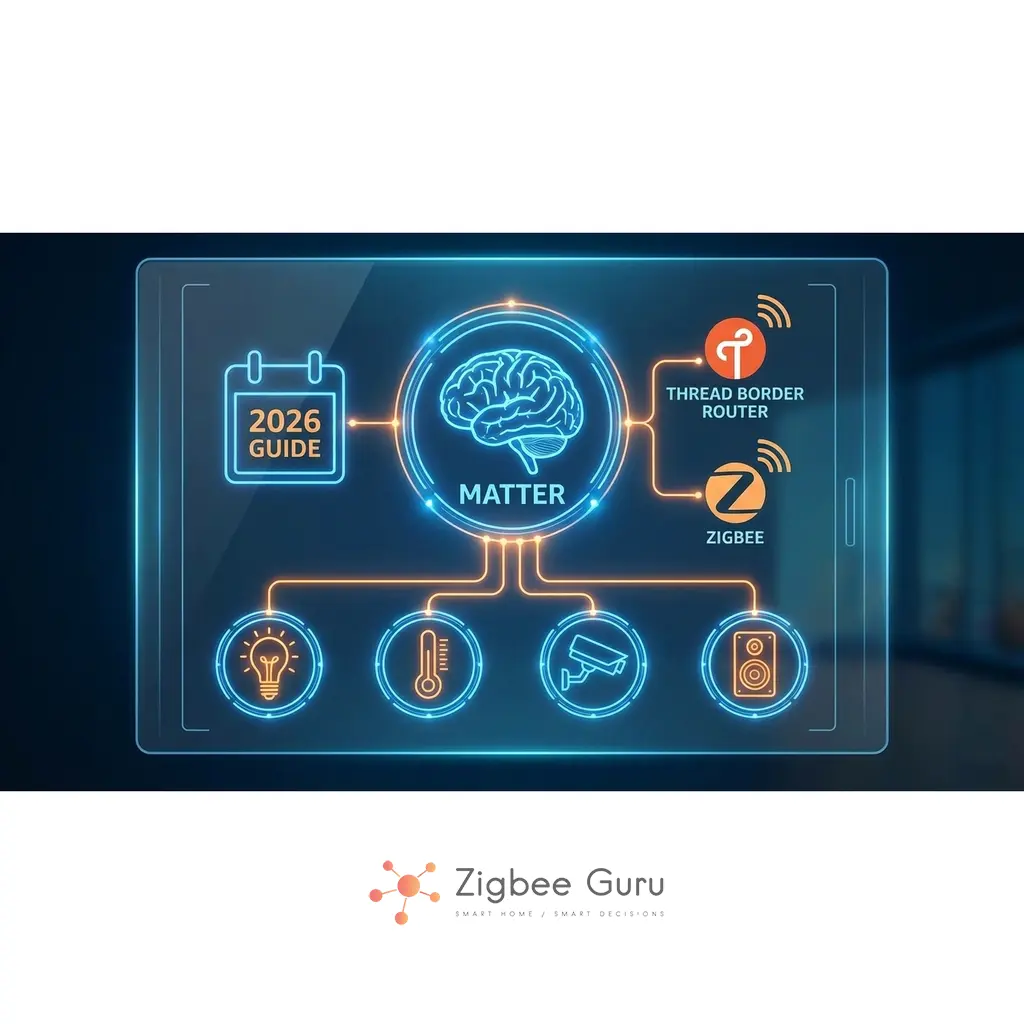
The smart home world has long suffered from fragmentation: devices from different brands, different apps, and different ecosystems that refused to work together. Matter was introduced to solve exactly this problem — a unified standard designed to make smart home devices finally speak the same language, regardless of who makes them.
In this extended guide, we break down what Matter really is, how it works under the hood, which devices support it today, how it fits alongside Zigbee and Thread, and which Matter controllers & Thread Border Routers are worth buying if you want a stable, future-proof smart home — with a dedicated EU perspective on compliance, dense 2.4 GHz apartments, and the network conditions that actually make Matter behave well in European homes.
Table of Contents
- Definition & Overview
- Core Uses of Matter
- Key Features & Advantages
- Disadvantages of Matter (2026 Reality Check)
- Matter in European Homes: Practical Realities
- Troubleshooting Matter in EU Apartments
- Matter vs Zigbee: Application Layer Comparison
- Matter vs Thread vs Zigbee (Simple Explanation)
- Conclusion
- FAQ About Matter
Definition and Overview
Matter is an application layer protocol created by the Connectivity Standards Alliance (CSA) — the same organization behind Zigbee. It defines a common data model and language that smart home devices and platforms can use to talk to each other, regardless of brand.
Technically, Matter runs over IP (Internet Protocol). It can use:
- Wi-Fi and Ethernet for high-bandwidth, always-powered devices (cameras, speakers, bridges).
- Thread (an IPv6 mesh network over IEEE 802.15.4) for low-power, battery-friendly devices like sensors and switches.
Matter was first released as version 1.0 and has evolved with updates such as Matter 1.2 to support more device types and improve multi-vendor interoperability.
Unlike older standards that locked users into specific ecosystems, Matter focuses on interoperability, security, and local control. A Matter-certified device should theoretically work with any Matter-compatible platform (Apple Home, Google Home, Amazon Alexa, Samsung SmartThings, and others), letting you mix brands more freely.
For transparency and documentation, you can visit the official CSA page: Matter by the CSA.
Core Uses of Matter
The primary purpose of Matter is to provide universal compatibility and a smooth user experience across brands and ecosystems — not to replace every underlying radio technology.
- Universal Device Support: A single Matter-certified product can work with any major smart home platform such as Apple Home, Google Home, Amazon Alexa, and Samsung SmartThings.
- Simplified Setup (Commissioning): Devices use a standard QR code or setup code. You scan it once and can add the device to the ecosystems you choose, often without manufacturer-specific pairing tricks.
- Cross-Ecosystem Control (Multi-Admin): The same Matter device can appear in multiple apps (e.g. Apple Home and Google Home), so households can mix iOS, Android, and voice assistants without workarounds.
- Bridging Legacy Devices: Existing Zigbee, Z-Wave, or proprietary devices can be exposed as Matter devices via a bridge or hub, helping you modernize your setup without replacing everything at once.
Matter is not meant to replace core radio technologies such as Zigbee, Thread, or Wi-Fi. Instead, it unifies the software layer on top of them so that devices look and behave consistently in your apps and automations.
Key Features and Advantages
Matter introduces several important capabilities designed to modernize the smart home. By relying on familiar IP technologies and consistent onboarding, Matter aims to reduce fragmentation and improve stability across devices.
| Feature | Description | Advantage |
|---|---|---|
| IP-Based | Built on standard Internet Protocol (IPv6), running over Wi-Fi, Ethernet, and Thread networks. | Future-Proof: Integrates cleanly with modern home networks and existing IP infrastructure. |
| Local Control | Commands can run directly inside the home, with no cloud dependency required for basic operation. | Speed & Privacy: Better response times, less vendor lock-in, and reduced exposure of data to external clouds. |
| Simplified Onboarding | Standardized commissioning via QR codes and setup codes across brands. | User-Friendly: One familiar setup experience for lights, plugs, locks, sensors, and more. |
| Multi-Admin | A single Matter device can be paired to multiple platforms simultaneously. | Flexibility: Households can use Apple, Google, Amazon, and SmartThings in parallel without duplicating hardware. |
Overall, Matter is designed to reduce complexity and make smart home devices easier to use, regardless of brand — while keeping control local and secure by default.
Disadvantages of Matter (2026 Reality Check)
While Matter solves many long-standing issues, it is still a young standard. In 2026, the limitations are not theoretical — they show up in real homes. Understanding these limitations helps you see where Zigbee still shines and where you should be careful with early Matter/Thread devices.
- Incomplete & Uneven Ecosystem Support:
Not all platforms support all Matter device types equally, and not every feature is exposed in every app. For example, Google Home and Alexa each support a subset of Matter device types and capabilities, so the same device can feel “more complete” in one ecosystem than another. - Thread Border Router Complexity:
For Thread-based Matter devices (battery sensors, switches) you need at least one Thread Border Router in your home. Many smart speakers, hubs and routers now include this, but mixed-brand Thread networks are still maturing. Early implementations sometimes created multiple, isolated Thread meshes per ecosystem; only newer Thread 1.4 features begin to unify them properly. - Battery Life Not Yet on Zigbee’s Level:
Real-world reports show that many first-wave Thread/Matter sensors struggle to match the battery life of mature Zigbee sensors. The IP stack and Matter data model add overhead, and firmware is still being optimized. For now, Zigbee often remains the safer choice when you need multi-year battery life in harsh RF environments. - Limited Advanced Device Categories:
Matter 1.x supports common devices (lights, switches, plugs, sensors, locks, some appliances), but cameras, security systems and more complex devices are either missing or inconsistently implemented across platforms. This can make “Matter-only” homes unrealistic for now.
The situation is improving quickly, but smart home users should expect occasional inconsistencies, especially when combining multiple brands of Thread Border Routers and controllers in the same house.
Recommended Matter Controllers & Thread Border Routers (2026 Picks)
Every Matter setup needs at least one Matter controller (the brain that onboards and manages devices). If you want to use Thread-based Matter devices, you also need one or more Thread Border Routers — many products combine both roles in a single device.
- Apple Ecosystem,
All that act as Matter controllers and Thread Border Routers. Ideal if most of your household is on iOS and you want tight Apple Home. See how to combine Apple Home with Matter, Thread and an existing Zigbee mesh.
HomePod mini (👉 Check Price on Amazon) ,
HomePod (2nd gen), and
Apple TV 4K (2nd & 3rd gen) (👉 Check Price on Amazon) - Google Ecosystem,
the below devices function as Matter controllers, with the latter two also providing robust Thread Border Router functionality. Good choice if you rely heavily on Google Assistant and Android phones. See how Google Home handles a hybrid Matter, Thread and Zigbee setup.
Google Nest Hub (2nd gen) /👉 Check Price on Amazon,
Nest Hub Max /👉 Check Price on Amazon), and
Nest Wifi Pro /👉 Check Price on Amazon - Amazon / Alexa Ecosystem,
the routers that combine Matter controller and Thread Border Router roles, forming a strong base for Alexa-centric homes — see how to run Alexa with Matter, Thread and Zigbee side by side:
Echo (4th Gen),
Echo Studio 👉 Check Price on Amazon ,
Echo Show 10 (3rd Gen) 👉 Check Price on Amazon and recent
Eero 6 / 6+ / Pro 6 / Pro 6E / Max 7 👉 Check Price on Amazon - Multi-Ecosystem Hubs
SmartThings Hub (3rd Gen / Aeotec Smart Home Hub) and Aqara Hub M3 /👉 Check Price on Amazon can act as Matter controllers and (for supported models) Thread Border Routers, while also bridging Zigbee and other radios. This is ideal if you want one box to connect legacy Zigbee with new Matter devices. - DIY / Home Assistant Power Users
Solutions such as Home Assistant Connect ZBT-2 /👉 Check Price on Amazon combined with an OpenThread Border Router add-on can provide a highly tunable Thread Border Router alongside your Matter controller in Home Assistant. For the full build, see how to run Home Assistant as your Matter controller on top of an existing Zigbee network.
Guru tip: From an engineering perspective, they are the most realistic way to get a stable Matter + Thread backbone in 2026.
Check more editors picks for best zigbee hubs.
Matter in European Homes: Practical Realities
Matter is a global standard, but European homes impose their own engineering reality. Dense apartment blocks, reinforced concrete walls, crowded 2.4 GHz airspace, and EU compliance regimes (CE, RED, GDPR) all shape what “Matter support” actually delivers in everyday use. Understanding these factors before buying devices saves significant troubleshooting later.
EU Compliance, CE and Certification Reality
EU availability does not automatically imply equivalent platform support. Devices sold legally in Europe must comply with CE marking requirements and, for wireless products, with the EU Radio Equipment Directive (RED). These ensure baseline electrical safety, EMC behaviour and proper use of the 2.4 GHz band — but they say nothing about how well the device integrates with Apple Home, Google Home, or Alexa.
Matter certification is a separate layer. A device carrying the Matter logo has been tested against the Matter specification, but feature coverage in any given ecosystem depends on that ecosystem’s own controller updates. New device categories (energy management, water leak sensors, EV chargers) often arrive in the spec before they appear in a controller’s UI. Treat certification as the baseline, then verify category support in your chosen ecosystem before buying.
2.4 GHz Density in EU Apartments
The single biggest difference between a working Matter setup and a flaky one in Europe is usually the 2.4 GHz environment. European 2.4 GHz Wi-Fi has channels 1–13 available (versus 1–11 in the US), and in dense urban areas every channel is typically saturated by neighbouring access points. Both Wi-Fi Matter devices and Thread devices share this band.
- Lock Wi-Fi to 20 MHz channel width on the 2.4 GHz band in apartment blocks. 40 MHz is rarely usable due to neighbour congestion and creates exactly the kind of retries that cause Matter devices to look unreliable.
- Disable “auto” channel hopping on access points if you have any choice. A fixed channel (1, 6 or 11) and a fixed Thread channel chosen to avoid overlap is more stable than constantly migrating networks.
- Keep Matter controllers and Thread Border Routers away from Wi-Fi access points and other 2.4 GHz noise sources. Stacking them on the same shelf is convenient but actively harmful.
Thread Border Router Placement in Concrete Buildings
European masonry and reinforced concrete attenuate 2.4 GHz signals significantly. A Thread Border Router hidden behind a TV cabinet or in a metal AV rack will look “fine” when you place a device next to it during setup, then misbehave once the device is in its final location across two walls. Border Routers earn their keep when placed centrally, elevated, and away from large metal surfaces — the same rules that apply to Zigbee coordinators.
If you mix Zigbee and Thread in the same building, remember both use IEEE 802.15.4 at 2.4 GHz. Plan their channels deliberately so that the Zigbee channel and the Thread channel do not sit on top of each other, and avoid placing high-traffic routers from both networks within a metre of each other.
Commissioning, Fabrics and Multi-Admin Lifecycle
Matter commissioning typically uses a QR code and a short-range onboarding step (often Bluetooth LE) to transfer credentials securely. The controller then creates or joins a “fabric”, which is the trust domain for devices in that home. Multi-admin lets the same device participate in several fabrics — for example, Apple Home and Home Assistant at the same time — which is genuinely useful in households mixing iOS, Android and DIY automation.
What is easy to underestimate is the lifecycle work: who holds primary ownership of each device, what happens when a controller is replaced, how factory resets propagate across fabrics, and what gets lost when you sell or move house. Document which controller is the primary admin for each Matter device and keep a backup of your home configuration; the consequences of getting this wrong are time-consuming, not technical.
Components You Actually Need (EU Reference)
| Component | What it does | EU-specific note |
|---|---|---|
| Matter Controller | Onboards devices, manages fabrics, runs automation policy | Controller updates can suddenly add or remove device-category support; check release notes before relying on a category |
| Thread Border Router | Connects the Thread mesh to your IP network | Placement is critical in concrete apartments; avoid cabinets, metal furniture, and stacking with Wi-Fi APs |
| Wi-Fi Router / AP | Provides IPv4/IPv6 connectivity for Wi-Fi Matter devices | EU channel plan (1–13) and neighbour density usually require 20 MHz width on 2.4 GHz for stability |
| Matter Bridge | Exposes legacy devices (typically Zigbee) into Matter | Feature mapping varies by bridge; plan for “core features” (on/off, level, basic sensors) only |
| IPv6-capable LAN | Carries Matter traffic, mDNS discovery and Thread fabric traffic | Some EU ISPs default to broken or filtered IPv6 — verify in your router’s diagnostics before blaming Matter |
Troubleshooting Matter in EU Apartments
Most issues that look like “Matter problems” in European homes are actually network-layer problems disguised as Matter. Once you start treating them as such, fixes become methodical rather than mystical. The most common root causes are weak 2.4 GHz coverage, AP isolation settings, broken IPv6 on the LAN, and mDNS discovery being filtered by VLANs or mesh Wi-Fi systems.
| Symptom | Likely cause | First check |
|---|---|---|
| Device pairs successfully but cannot be found later | mDNS discovery is blocked or unstable across segments | Guest/VLAN isolation, multicast settings, mesh Wi-Fi backhaul behaviour |
| Intermittent delays or missed commands on Wi-Fi Matter devices | 2.4 GHz congestion and retries | Switch to 20 MHz width, set a fixed channel, move the AP away from the device |
| Thread devices go “offline” periodically | Weak Thread coverage or 802.15.4 interference | Border Router placement, Thread vs Zigbee channel overlap, router density |
| Multi-admin sharing fails between two ecosystems | Controller compatibility or fabric state mismatch | Controller firmware versions, full device reset, who currently owns the device |
| Bridged Zigbee device shows only partial functionality | Bridge feature mapping limitations | Check the bridge’s documented exposed clusters/endpoints in Matter |
| Brand-new device fails to commission entirely | BLE/Wi-Fi onboarding interrupted, or IPv6 broken on LAN | Move the device close to the controller for setup; verify IPv6 is healthy in the router’s status page |
- Verify the control plane first. Confirm you actually have an active Matter controller and, for any Thread devices, at least one functioning Thread Border Router on the same network.
- Stabilise 2.4 GHz before anything else. In dense EU apartments, lock Wi-Fi to 20 MHz, fix the channel manually, and document what changed when stability improves.
- Assume discovery is network-sensitive. mDNS, IPv6 and multicast filtering quietly break Matter onboarding and re-discovery, especially across VLAN segments or roaming mesh systems.
- Plan for lifecycle operations. Document controller ownership and fabric membership for each device so resets, migrations and house moves do not become multi-evening tasks.
- Treat bridging as a compatibility layer. Expect core features (on/off, level, sensor state) to map cleanly and accept that vendor-specific advanced features may stay outside Matter.
- Red flag: a product marketed as “Matter-ready” without explicit controller or transport support details.
- Red flag: a Thread device recommended for your home without any mention of the Thread Border Router requirement.
- Red flag: a bridge that promises “full feature parity” for legacy Zigbee devices without explaining the cluster-to-Matter mapping.
Matter reduces ecosystem lock-in, but it does not remove RF physics or network engineering. In EU apartments, stability is designed, not assumed.
Matter vs. Zigbee: An Application Layer Comparison
A common question is: “Will Matter replace Zigbee?” The answer is no — because they operate at different levels of the networking stack. Matter defines how devices describe themselves and exchange data over IP networks, while Zigbee defines a non-IP mesh network (network + application layers) on top of the IEEE 802.15.4 radio.
| Aspect | Matter | Zigbee |
|---|---|---|
| Function | Application layer & data model (the “language”) | Full stack: network & application over 802.15.4 (the “mesh”) |
| Network Type | IP-based (IPv6 over Wi-Fi, Ethernet, Thread) | Non-IP mesh network over IEEE 802.15.4 |
| Radio Layer | Uses Wi-Fi/Ethernet and Thread (Thread shares the same 2.4 GHz 802.15.4 physical layer as Zigbee) | IEEE 802.15.4 at 2.4 GHz (some regional sub-GHz variants) |
| Primary Goal | Interoperability across ecosystems and brands | Low-power, low-bandwidth mesh for automation |
| Compatibility | Unified across major platforms (Apple, Google, Amazon, SmartThings) | Hub-dependent, compatibility varies by vendor and firmware |
| Coexistence | Runs over Thread (competes with Zigbee at the radio level) and Wi-Fi/Ethernet | Can be bridged into Matter via hubs (Hue, Aqara, SmartThings, etc.) |
Because both Zigbee and Thread use the same 2.4 GHz IEEE 802.15.4 physical layer, they can interfere with each other if badly designed — just like multiple Zigbee networks can. Logically, however, they are very different: Zigbee is its own mesh protocol, while Thread is an IPv6-based mesh that Matter uses as a transport.
If you’re new to Zigbee, you can read the full beginner’s guide here: What Is Zigbee? The Essential 2026 Guide.
Key Point: Matter unifies the smart home at the software/application layer. Zigbee and Thread provide the wireless foundation that smart devices rely on. They are not mutually exclusive — they work together.
Matter vs Thread vs Zigbee (Simple Explanation)
To understand how Matter fits into the bigger ecosystem, it’s useful to separate three layers that appear in modern smart homes:
- Matter = The Language (Application Layer)
Defines how devices describe themselves (“I am a dimmable light with color temperature control”), how they are controlled, and how automations are expressed. It rides on top of IP networks. - Thread = The Wireless IP Mesh
Thread is a low-power mesh network that carries IPv6 packets over IEEE 802.15.4 radios. Matter uses Thread for devices that need battery efficiency and local mesh coverage — like sensors, switches and some lights. - Zigbee = The Legacy (& Still Very Active) Mesh Layer
Zigbee also runs on IEEE 802.15.4 radios but uses its own non-IP network and application layers. Many existing sensors, bulbs and relays still rely on Zigbee, and many bridges (Hue, Aqara, SmartThings) continue to ship it as their internal fieldbus.
A simple way to picture it:
Matter = The Language
Thread/Zigbee = The Radio Mesh
Wi-Fi/Ethernet = The Backbone for High-Bandwidth Devices
Thread is considered the long-term successor to Zigbee for new low-power devices because it supports IP natively, making Matter communication simpler. However, Zigbee is far from obsolete — the ecosystem is huge, affordable, and still actively produced in 2026. In real homes, Zigbee remains extremely strong for battery sensors and retrofit energy management, while Thread is gradually appearing in newer premium devices.
Most homes in Europe will continue using a mix of Zigbee, Wi-Fi and Matter/Thread-enabled devices for many years, connected together via bridges and hybrid hubs.
Conclusion
Matter represents a major step forward for the smart home industry. By solving interoperability issues and providing a consistent setup experience, it allows users to mix devices from different brands without being locked into one ecosystem. Multi-admin, QR-based onboarding and IP-native design make smart homes easier to build and maintain.
However, Matter does not replace Zigbee or Thread — instead, it works alongside them. Zigbee remains one of the best choices for affordable, ultra-mature, low-power sensors in 2026, especially where battery life and RF resilience are critical. Thread is gaining momentum as the preferred wireless layer for future Matter devices, but its ecosystem and energy optimizations are still catching up.
The smart home of the future will likely combine all three: Matter for the language, Thread/Zigbee for wireless communication, and Wi-Fi/Ethernet for high-bandwidth devices. If you choose your Matter controllers and Thread Border Routers carefully, and treat the EU 2.4 GHz environment as the engineering constraint it actually is, you can enjoy the benefits of the new standard today without sacrificing the reliability of your existing Zigbee network.
If you want the deeper engineering breakdown, see what to use where and why.
FAQ About Matter
Here are the most common questions people ask about Matter, especially new smart home users trying to understand how it works alongside Zigbee and Thread.
- Does Matter replace Zigbee?
No. Matter is an application layer that runs over IP (Wi-Fi, Ethernet, Thread). Zigbee is a non-IP mesh protocol built on IEEE 802.15.4. They operate at different layers and can coexist — often with Zigbee devices bridged into the Matter world via hubs. - Do I need a Matter controller — and a Thread Border Router?
Yes, you always need at least one Matter controller to onboard and manage Matter devices. For Wi-Fi-only Matter devices, that may be enough. For Thread-based Matter devices, you also need at least one Thread Border Router (many smart speakers, hubs and routers combine both roles in a single box). - Does Matter work without the internet?
Yes. Matter is designed for local control. As long as your Matter controller and (if needed) Thread Border Router are powered and on your LAN, devices can continue to operate and automate even if your internet connection goes down. - What devices currently support Matter?
In 2026, you can find Matter support in lights, switches, plugs, sensors, locks, some appliances, and an increasing number of bridges and hubs from brands like Apple, Google, Amazon, Samsung, Aqara, Philips Hue, Nanoleaf, and others. More advanced categories (cameras, security systems) are still rolling out and may not behave identically across ecosystems. - What is the difference between Matter and Thread?
Matter is the language (application layer and device model). Thread is the wireless IP mesh that Matter can use for low-power devices. Thread replaces the Zigbee-style non-IP mesh with an IPv6-based mesh, but the physical radio is the same IEEE 802.15.4 at 2.4 GHz. - Are Matter/Thread sensors as battery-efficient as Zigbee?
Not yet in most real-world deployments. While Thread is designed for low power, the additional IP and Matter stack overhead means many early sensors do not yet reach the multi-year battery life that mature Zigbee sensors offer. This is expected to improve as silicon and firmware are optimized, but for now Zigbee remains the safer bet when ultra-long battery life is the top priority. - Is Matter local-only and GDPR-friendly by default?
Matter is designed for local control on the LAN — device commands and basic automations run inside the home, without round-tripping through a vendor cloud. That is a meaningful privacy improvement compared with older Wi-Fi-only smart devices. However, individual ecosystems still use cloud services for remote access, voice assistant processing and certain advanced automations, so the overall GDPR profile depends on how you configure each controller (Apple Home, Google Home, Alexa, SmartThings) and which vendor services you accept. The standard helps; it does not automatically make every Matter installation cloud-free. - What is the most common cause of Matter instability in EU apartments?
By far the most frequent root cause is the 2.4 GHz environment combined with network discovery. Dense neighbour Wi-Fi, “auto” channel hopping, 40 MHz channel width and mesh Wi-Fi systems that filter mDNS or multicast routinely break Matter device discovery and re-pairing. The fix is almost always at the network layer (lock Wi-Fi to 20 MHz on a fixed channel, verify IPv6, check that mDNS is not blocked across VLANs) rather than reinstalling the Matter device itself.



