
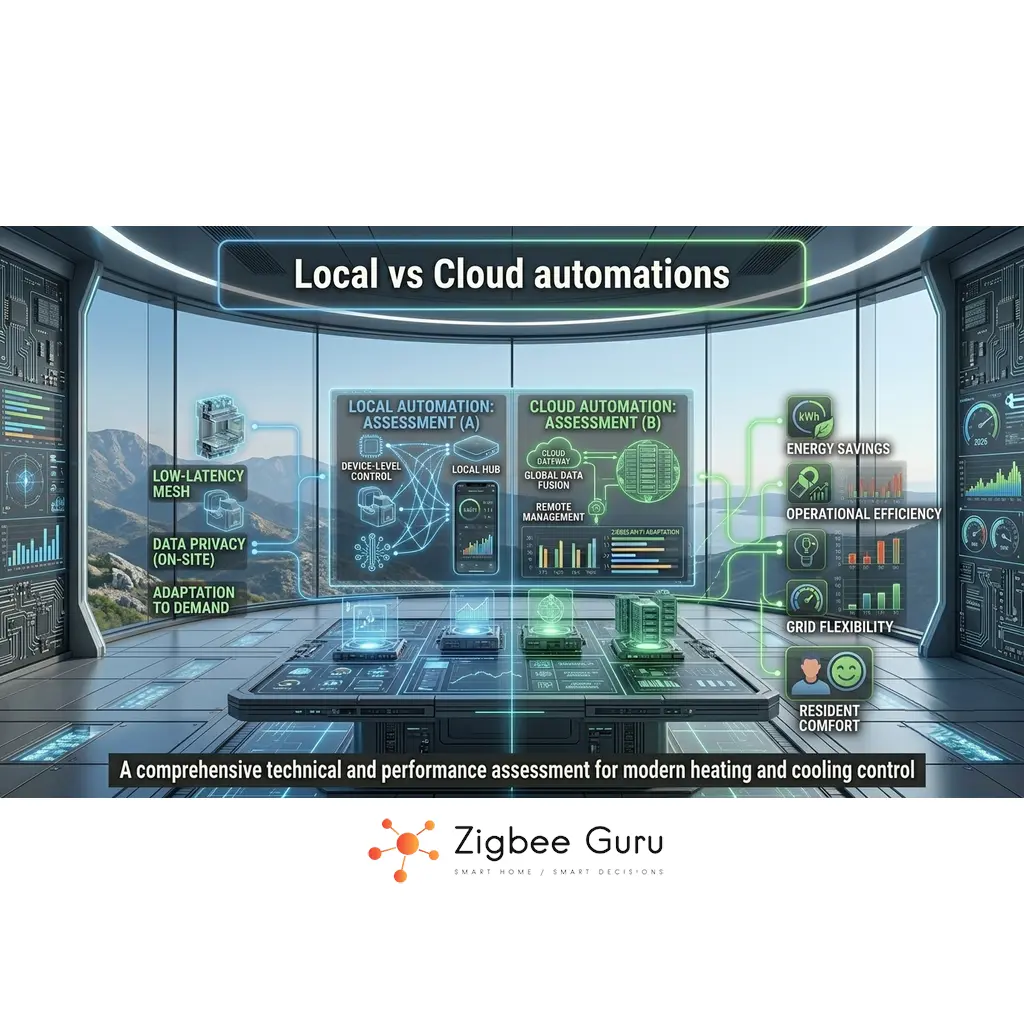
Most smart home users quickly discover that not all automations are created equal. Some routines keep working flawlessly even when the internet is down, while others suddenly stop responding the moment a cloud service has problems.
The difference usually comes down to where the logic actually runs: locally on a hub or device inside your home, or remotely in a vendor’s cloud. This choice affects latency, reliability, privacy and long-term control over your system — and in 2026, it also depends heavily on whether your devices speak Matter, which was designed from day one as a local-first protocol.
In this guide, we compare local vs cloud automations from an engineering perspective, show how Zigbee, Thread, Matter and Wi-Fi fit into the picture, and outline practical design patterns for European homes that need both comfort and resilience.
Table of Contents
- Local vs Cloud Automations: High-Level Overview
- What Are Local Automations?
- What Are Cloud Automations?
- Latency and Reliability in Real Homes
- Privacy, Security and EU Considerations
- Platform Examples: Home Assistant, Voice Assistants, Tuya
- Hub Choice as a Local-vs-Cloud Decision
- Local vs Cloud Automations: Comparison Table
- Design Patterns for Hybrid Smart Homes
- Conclusion
- FAQ: Local vs Cloud Automations
Local vs Cloud Automations: High-Level Overview
Every smart home rule follows the same pattern: a trigger, some conditions, and an action. The critical design decision is where that logic is executed and evaluated over time.
Local automations run on a hub, bridge or end device within your LAN. Cloud automations run on a remote server owned by a vendor or platform provider, with your home acting as a client that sends events and receives commands.
Neither model is universally better. Local logic excels at low latency and resilience, while cloud logic is convenient for cross-service integration and remote access. The goal is to understand the trade-offs and assign each task to the most suitable layer.
What Are Local Automations?
Local automations are rules that execute entirely inside your home network. The triggers, condition checks and resulting actions are processed by a hub, bridge or controller without needing to contact any external cloud.
Typical examples include a Zigbee motion sensor turning on a hallway light via a local coordinator, or a Thread-based contact sensor signalling a Matter controller which then updates multiple room scenes. If the internet connection drops, these flows continue to work as long as the local infrastructure is powered.
Platforms such as Home Assistant, dedicated Zigbee gateways and some vendor bridges expose local APIs or run the full automation engine on-premises, making them well suited for time-critical or safety-relevant tasks like lighting, basic security and energy-aware HVAC control. Local execution also means the automation timing is deterministic — a critical property for anything that a person actually notices, like a bathroom motion light needing to turn on within 200 ms of movement.
What Are Cloud Automations?
Cloud automations rely on remote servers to evaluate triggers and decide actions. Device events are sent from your home to the vendor’s cloud over the internet; the resulting commands are then delivered back to the devices or local gateway.
Common examples include routines defined in voice assistant apps, cross-vendor flows powered by cloud services, or vendor-specific features that only exist online. These are easy to configure and often provide integrations that would be complex to reproduce locally.
The downside is dependence on external infrastructure: internet connectivity, regional data centres, and platform availability. Any interruption on this path can delay or block automations that feel “internal” to your home, even if all devices are physically present and powered — which is one of the most common causes of the “why isn’t my automation running?” pattern that surfaces alongside Zigbee connection issues in support forums.
Latency and Reliability in Real Homes
Latency is the delay between a trigger and the corresponding action. In a local Zigbee or Thread flow, packets travel only within your LAN, typically resulting in response times under a few hundred milliseconds, assuming a healthy mesh — see Zigbee Range Problems for what “healthy” actually means in EU apartments.
Cloud automations add extra hops: from the device or hub to the router, across the public internet to a cloud region, and back. Under normal conditions this still feels fast, but peak load, congestion or routing issues can introduce unpredictable delays or occasional timeouts. In dense EU apartment blocks, Wi-Fi congestion also affects the first hop of any cloud flow, compounding the delay.
From a reliability perspective, local logic removes two major failure points: your broadband connection and the vendor’s backend. This is why many integrators prefer to keep lighting, shutters and heating rules local, while accepting cloud dependence for less critical scenarios such as notifications or high-level scenes.
Privacy, Security and EU Considerations
Local automations tend to minimise data exposure by keeping device events within the home. Logs and states are stored on a local controller or hub, under the owner’s direct control, subject primarily to local network security and physical access.
Cloud automations, by design, send event data and sometimes metadata about occupants’ behaviour to remote servers. In Europe, this raises three concrete questions: data residency (is the processing region inside the EU/EEA?), GDPR compliance (does the vendor publish a clear DPA and lawful basis?), and vendor transparency (can you export or delete the data on request?). These are not academic concerns — several major smart-home platforms have relocated EU processing after regulatory pressure in the past few years, and account changes imposed remotely can affect thousands of homes at once.
Under the revised EU Energy Performance of Buildings Directive (EPBD), energy-consumption data from smart home devices is also becoming more relevant for regulatory reporting. Keeping that data local — or explicitly choosing where it goes — is easier when the automation layer itself runs on-premises.
From an engineering perspective, neither model is inherently insecure. The risk profile depends on implementation quality, patching discipline and account hygiene. However, keeping sensitive or high-frequency signals local can reduce the scope of data that ever leaves the premises.
Platform Examples: Home Assistant, Voice Assistants, Tuya
Home Assistant exemplifies a local-first approach. Automations run on a local server or appliance, integrating Zigbee networks via ZHA, Zigbee2MQTT or deCONZ, as well as Matter/Thread and other protocols. Remote access is optional and can be configured with additional safeguards.
Voice assistants such as Amazon Alexa and Google Home historically relied heavily on cloud processing, though recent devices support more local control for certain functions — particularly since both ecosystems have adopted Matter as their local device layer. Even when on-device processing is used, however, many routines still depend on cloud coordination for cross-service integration.
Tuya is the archetypal cloud-centric ecosystem: the default configuration for Tuya-branded and Tuya-OEM devices routes automation logic through Tuya’s cloud servers, with the local Zigbee gateway acting mainly as a bridge. This makes onboarding fast but also means that a Tuya cloud outage — or a change in Tuya’s regional policies — can stop automations that otherwise appear entirely internal. Local operation is possible (via Home Assistant integrations or by flashing certain devices with alternative firmware) but requires deliberate setup. For a deeper vendor comparison, see Aqara vs Tuya: Ecosystem Comparison.
Hub Choice as a Local-vs-Cloud Decision
The single biggest local-vs-cloud commitment most users ever make is choosing a hub. The device that pairs with your sensors and switches usually decides how much of the automation logic can stay on your LAN. Three practical categories cover most EU-available hubs:
- Local-first hubs: Home Assistant appliances (Home Assistant Green, Yellow, or self-hosted on a mini-PC/Raspberry Pi), SONOFF ZB Bridge Pro flashed with Zigbee2MQTT firmware, and dedicated Zigbee coordinators used with a local Matter controller. All automation logic runs on-premises; the cloud is optional and only used for remote access if you configure it.
- Hybrid hubs: IKEA DIRIGERA and Philips Hue Bridge run scenes and simple rules locally, but push more complex automations and cross-vendor flows through their cloud apps. Matter support increasingly moves more logic locally on this tier.
- Cloud-first hubs: most Tuya Smart hubs, older SmartThings hubs, and vendor-locked bridges rely on the cloud for pairing, automation logic and even simple scenes. Local fallback is limited and sometimes disappears entirely if the vendor changes policy.
This tier is worth thinking about before the first device is purchased, because migrating away from a cloud-first hub usually means re-pairing every device. For a hub-by-hub breakdown of what runs locally versus in the cloud, see Best Zigbee Hubs for EU Homes.
Local vs Cloud Automations: Comparison Table
The table below summarises typical differences between local and cloud automations across the most important technical and practical dimensions.
| Aspect | Local Automations | Cloud Automations |
|---|---|---|
| Execution location | Hub, bridge or controller on LAN | Remote vendor servers |
| Internet dependency | Not required for core logic | Required for triggers and actions |
| Typical latency | Low and predictable (<300 ms) | Variable, depends on network path (0.5–3 s typical) |
| Resilience to outages | Continues during broadband failures | Stops or degrades when offline |
| Privacy | Events stay mostly within home | Event data processed externally |
| Cross-service integration | Requires local connectors and APIs | Often easier via cloud platforms |
| Setup complexity | Higher initial configuration effort | Simple app-based setup |
| Vendor lock-in risk | Low — device state stays local | Higher — vendor policy affects operation |
| Best suited for | Lighting, HVAC, safety-critical flows | Notifications, remote access, cloud AI |
Key takeaway: local automations provide deterministic behaviour for critical routines, while cloud automations are ideal for convenience features and remote access that can tolerate occasional delays.
In practice, a well-designed system will combine both layers, using each where it delivers the most value for the least risk.
Design Patterns for Hybrid Smart Homes
Most modern homes end up with a hybrid model, regardless of the initial intention. Some devices inevitably depend on cloud services, while others can operate entirely locally. The goal is to structure this mix consciously rather than by accident.
- Keep safety and comfort local: automations that affect lights, locks, shutters and basic heating should remain functional without internet.
- Use cloud for context and enrichment: notifications, presence from smartphones and external data sources such as weather forecasts are natural cloud use cases.
- Prefer devices with local fallback: where possible, choose devices and platforms that offer local APIs or Matter/Thread support with on-premises controllers.
- Document dependencies: explicitly note which flows rely on specific cloud accounts or regions to avoid surprises after provider changes.
- Design for graceful degradation: when a cloud service fails, the home should degrade to a safe state rather than lock or unlock unexpectedly — for example, a smart lock should default to its last-known local state, not to “unavailable”.
- Audit annually: once a year, walk through your automations and identify which ones would break if a specific vendor disappeared tomorrow. If any of those are safety-critical, they need a local rewrite.
By following these patterns, you can preserve most of the convenience of cloud features while ensuring that essential automations continue to work predictably in everyday European network conditions.
Conclusion
Local and cloud automations are not competitors but complementary tools. Local logic provides low-latency, deterministic behaviour for the devices that matter most to daily comfort and safety, independent of internet availability.
Cloud-based rules add powerful integrations, remote control and access to external services, at the cost of extra dependencies and a broader data footprint. Treating these layers as distinct building blocks helps you design smarter, more resilient systems rather than relying on defaults.
A well-engineered smart home will therefore start from a robust local foundation — a properly designed Zigbee or Thread mesh, a local-first hub, and Matter-capable devices where possible — and then add cloud automations selectively where they genuinely enhance the experience without introducing unacceptable risks. If you are still choosing your first devices, the €100 EU starter build shows how far a local-first budget setup can go; for expanding into energy control, local HVAC automation is where the reliability difference matters most in daily life.
FAQ: Local vs Cloud Automations
This FAQ addresses frequent questions about how to balance local and cloud automations when designing or upgrading a smart home.
- Are local automations always better than cloud automations?
No. Local automations are better for latency, resilience and privacy, especially for critical functions. Cloud automations excel at remote access and cross-service integrations. The optimal design usually combines both. - Will my automations work if the internet goes down?
Purely local automations running on a hub or bridge should keep working during an internet outage. Any routine that depends on a cloud service, remote account or external data source may stop or become unreliable. - Do Zigbee and Thread devices require the cloud?
Zigbee and Thread themselves are local wireless protocols. Whether automations require the cloud depends on the controller: local-first platforms can keep logic on-premises, while cloud-centric ecosystems may still route decisions through remote servers. - Does Matter make every smart home local?
Matter is designed as a local-first protocol — device commands travel over Thread or Wi-Fi within the LAN, not through a cloud service. In practice, however, “local” also depends on which Matter controller you use. Home Assistant and dedicated Matter controllers run automation logic locally; controllers built into some voice assistants may still delegate scene and automation orchestration to the cloud even when the underlying Matter transport is LAN-only. Matter reduces cloud dependence, but does not automatically remove it. - Is there a privacy advantage to local automations?
Yes. When logic and logging remain inside the home, fewer behavioural signals are sent to third-party servers. This does not remove the need for good security practices, but it reduces the external data surface — and simplifies GDPR-related decisions since less personal data crosses jurisdictional boundaries. - How should I decide which automations can safely use the cloud?
As a rule of thumb, any automation whose failure would be inconvenient rather than critical (for example, sending a push notification, adjusting a non-essential scene or updating a dashboard) can usually depend on cloud services. Anything related to basic safety, lighting or climate control should have a local path. - What happens to my automations if a vendor shuts down?
For cloud-dependent automations, most stop working immediately or degrade rapidly. For local automations (Home Assistant, Zigbee2MQTT, self-hosted Matter controllers), automations keep running even if the original vendor’s cloud disappears — as long as the local infrastructure and any required firmware updates remain accessible. Vendor risk is asymmetric: it is invisible until it happens, and then it is everywhere at once.



