
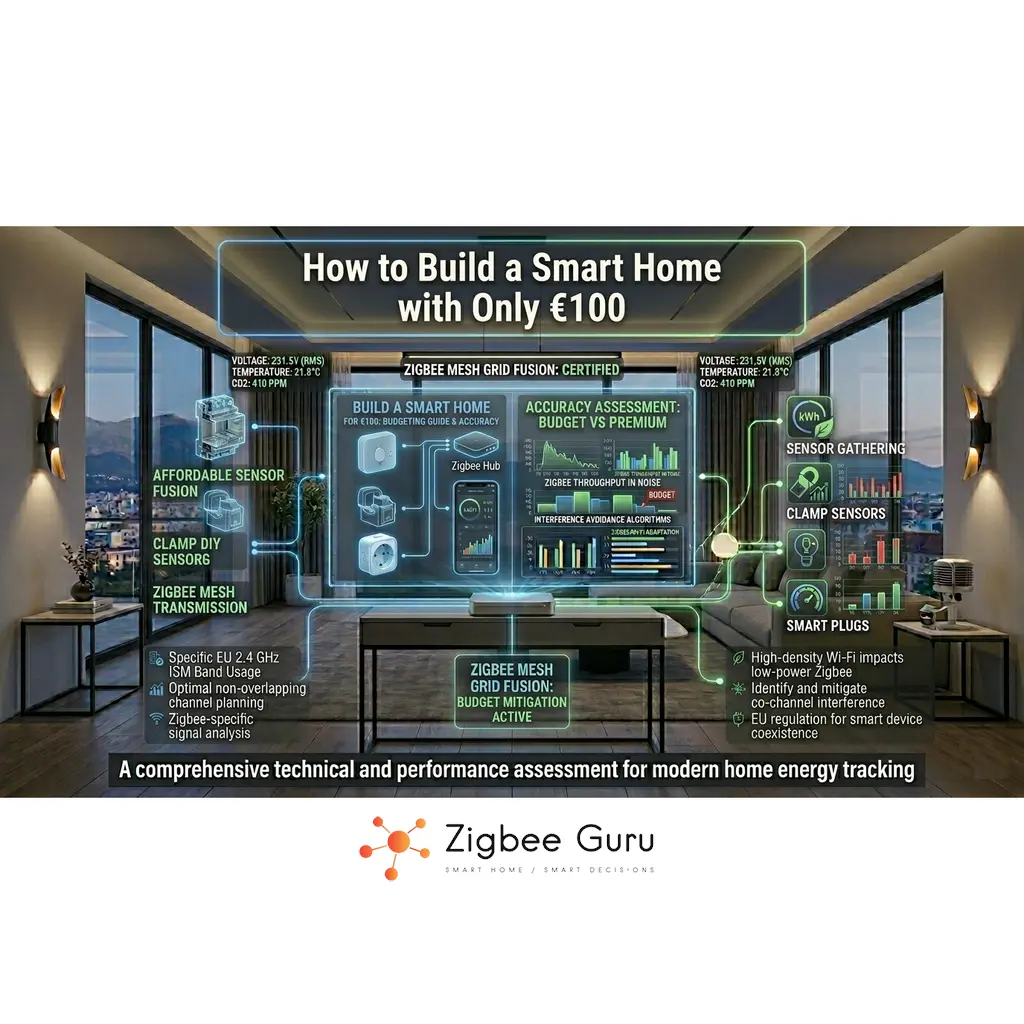
Building a smart home does not require a four-digit budget. With careful planning, you can create a useful, reliable starter system for around €100, focusing on automation that actually improves comfort and energy use instead of buying random gadgets.
The key is to treat that €100 as infrastructure money: invest in a basic control platform and a few well-chosen devices that solve one or two concrete problems, such as lighting control or heating optimisation.
This guide shows how far €100 can realistically go in 2026, how to allocate the budget between hub and devices, and how to design a small but expandable smart home that works in a typical European apartment or house — with a concrete worked example that adds up to roughly €100 using devices available in EU retail today.
Table of Contents
- What You Can and Cannot Do with €100
- Setting Realistic Expectations
- Choosing a Platform: Wi-Fi, Zigbee or Both?
- How to Allocate Your €100 Budget
- A Worked Example: Two €100 Builds for EU Homes
- Core Use Case 1: Smart Lighting and Plugs
- Core Use Case 2: Basic Sensors for Comfort and Security
- Practical Automation Scenarios Under €100
- Network and Reliability Basics on a Budget
- EU Budget Tactics: Secondhand, Rebadging, Sales
- Conclusion
- FAQ: €100 Smart Home
What You Can and Cannot Do with €100
A €100 budget is enough to automate one or two key areas of a home, not to “fully automate” an entire property. Think in terms of a starter kit: a small number of targeted devices that are placed where they deliver the most value.
On the achievable side, you can typically cover a main room with smart lighting and a plug for a heater or dehumidifier, or protect an entrance with door and motion sensors linked to notifications. You can also lay the foundations for a larger system by choosing devices that integrate cleanly with your preferred platform — see Cheapest Zigbee Devices in 2026 for a deeper catalogue of individual budget picks.
What you cannot reasonably expect for €100 is full-house coverage of every light, shutter, radiator and window, or professional-grade video security. These are later upgrades that can be added once the basic infrastructure is in place and tested. The realistic mental model is “starter that grows”, not “complete system on day one”.
Setting Realistic Expectations
Before buying hardware, it is useful to decide what “success” looks like for a €100 smart home. A realistic target is one or two small, reliable automations that you use every day and that continue to work for years with minimal maintenance.
Common examples include consistently automated hallway or bathroom lighting, presence-based control of a plug-in heater, or notifications when a door is opened while you are away. These use cases translate well into small numbers of sensors, switches and plugs, which fit within a limited budget.
Key point: a €100 smart home is about solving one or two concrete problems very well, not about covering every device in the building.
By focusing narrowly, you avoid spreading your budget too thin across devices that end up underused or poorly integrated, and you keep enough headroom for a future expansion path — for example, adding Zigbee-driven HVAC control later, once the heating circuit is the next obvious target for savings.
Choosing a Platform: Wi-Fi, Zigbee or Both?
The cheapest way to start is often to reuse devices you already own: your Wi-Fi router, a smartphone and possibly a voice assistant speaker. Many low-cost Wi-Fi smart plugs and bulbs can be controlled via cloud apps, but heavy Wi-Fi use does not scale well in busy 2.4 GHz environments — exactly the coexistence problem described in Zigbee + Wi-Fi Interference in EU Apartments.
Zigbee devices, by contrast, use IEEE 802.15.4 radios and form a low-power mesh network. This offloads traffic from Wi-Fi and allows sensors and switches to run on small batteries for years. The trade-off is that you usually need a Zigbee hub or coordinator to manage the network — see Best Zigbee Hubs for EU Homes for a full comparison.
For a €100 build, a hybrid approach is common: use a simple, possibly existing hub or app-compatible platform, and then add a few Zigbee or Wi-Fi devices that integrate cleanly with it. If you later move to Home Assistant or another advanced system, these devices can often be reused — IKEA TRÅDFRI bulbs, SONOFF plugs and Aqara sensors all have well-supported integrations.
Three popular EU-available hub choices at this budget tier are IKEA DIRIGERA (around €60, Matter-capable, beginner-friendly), SONOFF ZB Bridge Pro (around €30, more advanced, integrates with Home Assistant), and Aqara Hub E1 (around €30, compact, well suited to single-room deployments). 👉 Check Price on Amazon
How to Allocate Your €100 Budget
A structured budget makes it easier to decide where to compromise. The table below shows typical allocations for a small, starter setup where some existing infrastructure (router, smartphone, possibly a voice assistant) is already available.
| Category | Description | Typical Share of €100 |
|---|---|---|
| Control platform | Entry-level hub, bridge or local controller (if needed) | €0–40 |
| Smart plugs or relays | 1–2 units for lamps, heaters or dehumidifiers | €20–40 |
| Sensors | 1–3 devices (motion, door/window, temperature/humidity) | €20–30 |
| Miscellaneous | Spare budget for extra sensor, mounting, adapters | €10–20 |
If you can reuse an existing platform, more of the €100 can go into additional sensors and plugs. If you must buy a new hub, the number of devices will be smaller, but you gain a more scalable starting point for future expansions.
A Worked Example: Two €100 Builds for EU Homes
Theory only goes so far — a concrete example shows what €100 actually buys in EU retail. Both builds below use widely available devices, Zigbee-based, and assume you already have a Wi-Fi router and a smartphone. Prices are approximate EU retail (Amazon EU / IKEA) as of early 2026 and will vary by country and promotion.
Build A: IKEA-Centric Starter (best for absolute beginners)
| Item | Approx. EU price | Quantity | Subtotal |
|---|---|---|---|
| IKEA DIRIGERA hub (Matter-capable) | €60 | 1 | €60 |
| IKEA TRÅDFRI smart bulb (E27, dimmable) | €9 | 1 | €9 |
| IKEA INSPELNING smart plug (energy monitoring) | €15 | 1 | €15 |
| IKEA VALLHORN motion sensor | €10 | 1 | €10 |
| IKEA PARASOLL door/window sensor | €10 | 1 | €10 |
| Total | ~€104 |
Why it works: single vendor, single app, one warranty contact, Matter-capable for future bridging. The DIRIGERA can later be controlled from Home Assistant via Matter, so this build is not a dead end. The trade-off is the IKEA tax on the hub price.
Build B: SONOFF + Aqara Mix (best for future Home Assistant users)
| Item | Approx. EU price | Quantity | Subtotal |
|---|---|---|---|
| SONOFF ZB Bridge Pro (hub) | €30 | 1 | €30 |
| SONOFF S26R2 ZBR2 Zigbee plug | €12 | 2 | €24 |
| Aqara Motion Sensor P1 | €18 | 1 | €18 |
| SONOFF SNZB-04 door/window sensor | €10 | 1 | €10 |
| Aqara temperature/humidity sensor | €15 | 1 | €15 |
| Total | ~€97 |
Why it works: cheaper hub leaves more for sensors, and every device pairs cleanly with Zigbee2MQTT or ZHA if you migrate to Home Assistant later. Two smart plugs (instead of one) give you a real router backbone for the mesh, which improves reliability immediately. For deeper vendor comparison between these two ecosystems, see Aqara vs Tuya: Full Ecosystem Comparison.
Core Use Case 1: Smart Lighting and Plugs
Lighting and smart plugs are often the most visible part of a starter system. With one or two smart bulbs and a plug, you can automate a main lamp, a floor lamp and a plug-in device such as a heater, fan or dehumidifier, all controlled by time schedules or presence.
- Smart bulbs: ideal for table or floor lamps where replacing the bulb is easy and you want dimming or colour temperature control. IKEA TRÅDFRI E27 dimmable bulbs (~€9) are the EU budget benchmark; Philips Hue White is a step up at ~€10–15 if a Hue Bridge is already present.
- Smart plugs: suitable for existing lamps, small heaters and other plug-in loads, allowing you to control and schedule them without rewiring. SONOFF S26R2 ZBR2 (~€12) and IKEA INSPELNING (~€15, with energy monitoring) are the entry-level EU picks. For a fuller comparison, see Best Zigbee Smart Plugs.
- Scene control: basic scenes and timers can usually be configured in the vendor app or in a local controller such as Home Assistant.
In many homes, one well-placed smart plug and a single smart bulb can already change how a room feels in the evening, while also enabling simple energy-saving behaviours such as turning devices fully off at night. 👉 Check Smart Plug Prices on Amazon | 👉 Check Smart Bulb Prices on Amazon
Core Use Case 2: Basic Sensors for Comfort and Security
Sensors are where Zigbee stands out: battery-powered motion, door/window and temperature/humidity sensors can run for years on a coin cell while using very little bandwidth. A small number of sensors can already provide meaningful comfort and security improvements.
- Motion sensors: automate hallway or bathroom lights so they turn on only when needed and turn off after a delay. Aqara Motion Sensor P1 (~€18) is the EU favourite for its long battery life and configurable detection range; SONOFF SNZB-03 (~€10) is the lower-budget option.
- Door/window sensors: receive notifications when an entrance opens unexpectedly, or pause heating when a window is left open. SONOFF SNZB-04 (~€10) is the entry-level EU pick; Aqara door/window sensors (~€15) are the premium option with longer range.
- Temperature/humidity sensors: monitor rooms where moisture or overheating is a concern and drive automations for fans or dehumidifiers. Aqara TH (~€15) and SONOFF SNZB-02 (~€12) are both solid EU choices, with the Aqara reporting slightly more frequently by default.
With a €100 ceiling, aim for two or three strategically placed sensors in high-impact locations rather than trying to cover every room. Later, you can expand the same concepts to additional spaces using the same hub and automation rules. 👉 Check Motion Sensor Prices on Amazon | 👉 Check Door Sensor Prices on Amazon | 👉 Check TH Sensor Prices on Amazon
Practical Automation Scenarios Under €100
Once the basic devices are in place, the value comes from automations. Even with a limited budget, you can define rules that react to time, motion or contact events in ways that quickly become part of daily life.
- Entrance lighting: a motion sensor near the entrance triggers a lamp via a smart plug in the evening and at night, reducing the need to search for switches in the dark.
- Bathroom or hallway auto-off: motion-controlled lighting that turns off after a short delay to avoid lights being left on for hours.
- Window-linked heating: a door/window sensor pauses a plug-in heater when a window is open for ventilation, resuming when the window closes — a simple precursor to the full Zigbee HVAC control approach.
- Humidity-driven fan: a humidity sensor in a bathroom controls a smart plug driving a fan or dehumidifier when humidity exceeds a threshold.
These scenarios use small numbers of devices but can significantly improve comfort and energy awareness, demonstrating the practical benefits of automation without large upfront costs.
Network and Reliability Basics on a Budget
Even a small smart home is still a network. For Zigbee, this means a coordinator, at least one mains-powered router device and one or more battery-powered end devices. Zigbee uses 2.4 GHz in Europe, alongside Wi-Fi, so simple planning helps avoid interference.
A good starting rule is to place at least one always-powered Zigbee router (for example, a smart plug) within a few metres of the coordinator, and another near the area where you deploy sensors. This helps maintain acceptable link quality (LQI) and reduces missed events. The deeper diagnostic patterns are covered in Why Zigbee Devices Lose Connection and Zigbee Range Problems: Easy Solutions.
For mixed Wi-Fi and Zigbee environments, avoid setting your Wi-Fi router to channels that overlap heavily with your chosen Zigbee channel. Most hubs and tools provide diagnostics to show signal strength and device paths, which are worth checking even in a small, low-cost installation. For the full EU 2.4 GHz coexistence picture, see Zigbee Channels in EU Homes.
EU Budget Tactics: Secondhand, Rebadging, Sales
Three EU-specific tactics that can stretch a €100 budget noticeably further, with honest caveats for each:
- Buy refurbished or used hubs: hubs hold their value poorly because consumers are nervous about used electronics, which means refurbished IKEA DIRIGERA, SmartThings or even older Philips Hue Bridges can be found at 30–50% off retail on platforms like Backmarket or eBay. The risk: no warranty in many cases. Cheap hardware to test the platform; replace with new if you commit.
- Recognise Tuya rebadging: a large fraction of “no-name” Zigbee sensors and plugs on Amazon/Aliexpress are Tuya-OEM devices sold under multiple brand labels. Pricing varies dramatically (often 2–3× difference) for what is essentially the same hardware. Search by Tuya model number to compare. The caveat: Tuya devices often need a Tuya Zigbee gateway or a Home Assistant integration to work fully locally — they are not the easiest path for absolute beginners.
- Time purchases around seasonal sales: in the EU, the heaviest discounts on smart home devices are Black Friday (late November), Amazon Prime Day (July and October), and the IKEA winter sales (January). A €100 budget at full price often becomes a €80 budget during these windows, which is meaningful when stretching across 4–5 devices.
None of these are required to build a working €100 system, but they are how experienced EU smart-home users keep adding devices over time without their spend creeping upwards. For a deeper survey of which specific budget devices are worth the money in 2026, see Cheapest Zigbee Devices.
Conclusion
With around €100, a smart home becomes an exercise in prioritisation rather than a shopping list of every possible device. By focusing on one or two high-impact areas, you can deploy a small set of reliable plugs, bulbs and sensors that immediately change how you interact with your home.
Choosing devices that integrate cleanly with your existing ecosystem, respecting basic network design principles and planning for gradual expansion turns a budget-limited starter kit into the first layer of a long-lived smart home. The same coordinator, sensors and automations can grow over time as you add more rooms and, eventually, newer standards such as Thread and Matter.
Seen this way, €100 is not the end state of a smart home, but a practical and efficient first step towards a more connected and responsive living space. Once the starter kit is solid, the natural next steps are: deeper device selection via Cheapest Zigbee Devices, more advanced control via Home Assistant, and energy-aware applications like Zigbee HVAC control.
FAQ: €100 Smart Home
This FAQ addresses common questions about designing and building a small smart home setup with a budget of approximately €100.
- Is €100 really enough to build a smart home?
It is enough to build a small, targeted system, not to automate an entire property. You can typically afford a hub plus 3–4 devices, or skip the hub and afford 5–6 Wi-Fi devices. The two worked examples in this guide both come in at roughly €100 with real EU pricing. - Do I need a dedicated hub to start?
Not always. Some devices work directly with cloud apps or existing voice assistant speakers. However, a dedicated hub or local controller becomes valuable once you want more complex automations, better privacy, or a larger number of devices. For a single-room setup, hub-less may be fine; for anything beyond that, a hub is usually the better investment. - Should I choose Zigbee or Wi-Fi devices for a €100 build?
For a very small system, either can work. Wi-Fi devices avoid the need for a hub but add load to the 2.4 GHz band — which can already be congested in EU apartments. Zigbee devices require a coordinator but are more efficient for battery-powered sensors and scale better as you expand. For most EU homes, Zigbee is the better long-term choice even at this budget tier. - Can I expand later without replacing everything?
Yes. If you choose devices that integrate with a common platform (Home Assistant via Zigbee2MQTT/ZHA, or a Matter-capable hub), you can usually add more sensors, plugs and even new protocols over time. The €100 starter kit becomes part of a larger system rather than a disposable experiment. - What is the most cost-effective first purchase?
For many homes, a combination of one Zigbee hub, one smart plug, one smart bulb and one or two sensors (motion or door/window) is the optimal starting point. The two example builds in this guide show what this looks like with real EU products. - Is buying secondhand smart home gear a good idea?
For hubs and bridges, yes — they hold their value poorly and a refurbished IKEA DIRIGERA or older Philips Hue Bridge can be 30–50% cheaper than new. For sensors and battery-powered devices, the savings are smaller and the unknown battery state is a real concern. The pragmatic compromise is: buy hubs refurbished, buy sensors new. - Do I need to worry about EU-specific compatibility?
Yes, for plugs (CE marking, Schuko/Type F plug shape, 230 V) and bulbs (E27/E14 sockets are the EU norm). For sensors and hubs, EU-specific concerns are mostly limited to power adapters and 2.4 GHz channel regulations (which are nearly the same as US for Zigbee). Stick to EU-sold versions and the compatibility risks drop dramatically.



