
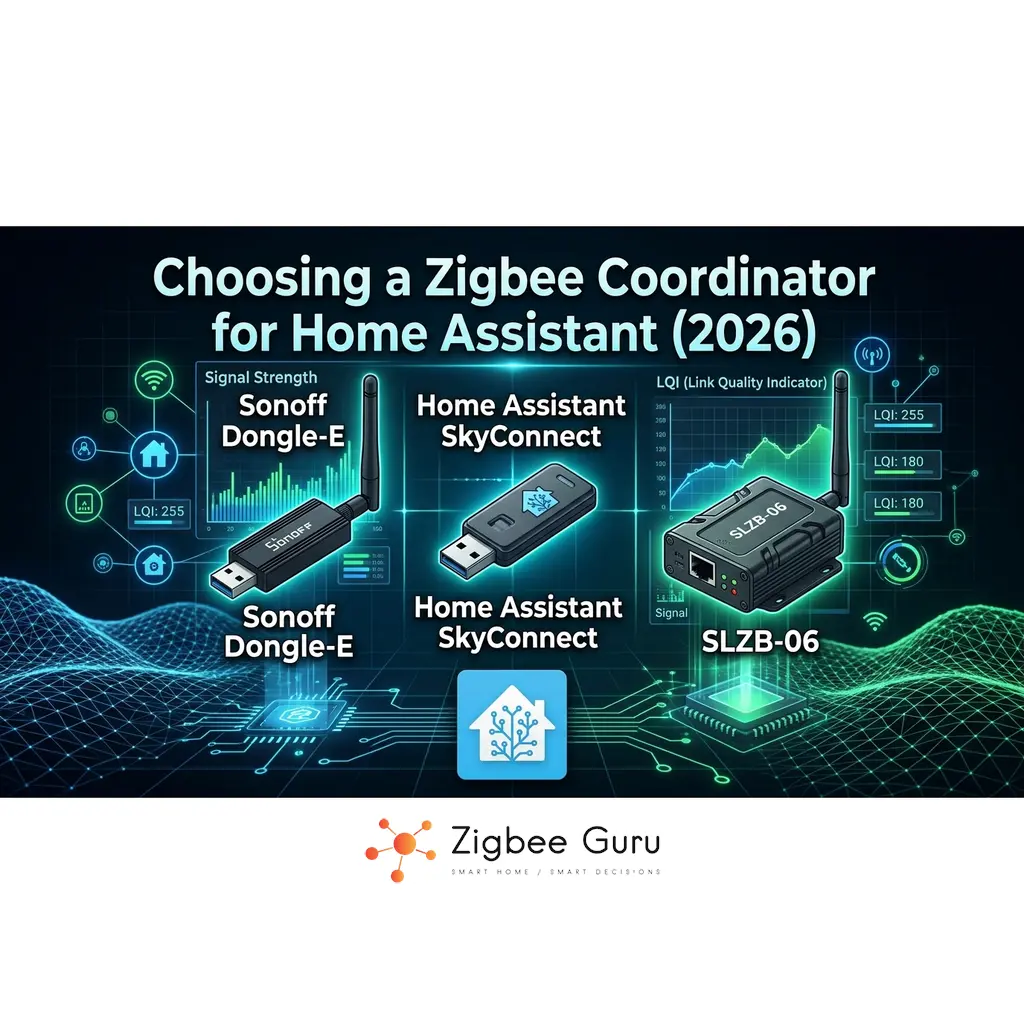
The coordinator is the one Zigbee device you can’t do without. It creates the network, holds its security keys and connects every sensor, plug and valve to Home Assistant. If you’re new to the roles in a Zigbee mesh, our complete Zigbee guide explains coordinators, routers and end devices.
Most “best coordinator” lists rank sticks by antenna gain and price. That misses the questions that actually decide whether your network is stable in two years: which chip and firmware stack it runs, how it connects, whether you need Thread too, and whether your Zigbee software supports it properly. This guide works through those four decisions, then maps the current and older adapters against them in one compatibility table.
The coordinator market moved quickly in 2025–2026. The Silicon Labs EFR32MG24 is now the default chip in new adapters, and several long-time favourites have become previous generation. Everything below was checked against the Zigbee2MQTT and Home Assistant documentation and the manufacturers’ pages in October 2026.
Table of Contents
- Quick Answer
- The Four Decisions That Matter
- Compatibility Table (October 2026)
- Firmware: Check It, Update It, Back It Up
- Placement and Interference
- Upgrading From an Older Coordinator
- Recommendations by Scenario
- FAQ
Quick Answer
| Your setup | Get | Why |
|---|---|---|
| Home Assistant Green, Yellow or a mini-PC; Zigbee only | Home Assistant Connect ZBT-2 (USB) | Home Assistant’s own recommendation for new networks; firmware managed by Home Assistant |
| Server in a cabinet, basement or rack; larger home | A PoE coordinator such as SMLIGHT SLZB-06Mg24 | Place the radio centrally on an Ethernet cable, away from the server |
| You want Zigbee and Thread from one box | A dual-radio coordinator such as SMLIGHT SLZB-MR5U | Two radios, one per protocol, running at the same time |
| You already own a ZBDongle-P, ZBDongle-E or SLZB-06 | Keep it | Update the firmware first; it is still well supported |
The Four Decisions That Matter
1. Chip and firmware stack: Texas Instruments or Silicon Labs
Almost every recommended coordinator runs one of two stacks: Texas Instruments chips (CC2652P, CC2652P7, CC2674P10) with Z-Stack firmware, or Silicon Labs chips (EFR32MG21, MG24) with EmberZNet firmware. Both are first-class in ZHA and Zigbee2MQTT, and both support coordinator backups.
New products have moved to Silicon Labs. The MG24 has more RAM and flash than the older MG21, which helps on large networks, and it is where most current firmware work is happening. TI-based adapters remain solid and supported, and they don’t need replacing.
- Zigbee2MQTT: Silicon Labs adapters use the ember driver. The older ezsp driver is deprecated, and ember requires EmberZNet 7.4.x or newer.
- ZHA: Silicon Labs adapters use the EZSP radio type (bellows); TI adapters use ZNP.
- deCONZ (ConBee): supported by both, but it is a third, smaller ecosystem. Zigbee2MQTT only creates coordinator backups for Z-Stack and EmberZNet adapters.
2. Connection: USB or Ethernet, never Wi-Fi
A USB coordinator on a short extension cable is the simplest and most common setup. An Ethernet or PoE coordinator lets you put the radio in the middle of the house while the server stays in a cupboard. That is often the better choice for larger homes, concrete floors or servers hidden in a basement.
Avoid running the coordinator over Wi-Fi, even if the device offers it. The Zigbee2MQTT adapter guide warns that Wi-Fi-connected adapters can be unstable because the serial protocol has little tolerance for packet loss and latency, and recommends wired Ethernet for remote adapters. The ZHA documentation likewise advises against coordinators over Wi-Fi, WAN or VPN.
3. Zigbee only, or Zigbee and Thread
One radio runs one protocol at a time. Single-radio Silicon Labs adapters such as the ZBT-2 can run either Zigbee or Thread firmware, and you can switch later, but not both at once. Nabu Casa states plainly that running Zigbee and Thread at the same time on the same adapter is not supported, and Zigbee2MQTT does not support multiprotocol firmware.
If you want both protocols, use two adapters (one Zigbee, one Thread) or a dual-radio coordinator with two chips. Whether you need Thread at all depends on your devices; see Zigbee vs Thread vs Matter and Home Assistant as a Matter controller.
4. Software: ZHA or Zigbee2MQTT
Every current adapter in the table below works with both, but support is not identical. Home Assistant officially lists only a short set of tested adapters for ZHA, while many more work in practice through the same radio types. Zigbee2MQTT publishes the broadest adapter list. If you haven’t chosen yet, read ZHA vs Zigbee2MQTT first, because it changes what “supported” means for your devices.
Compatibility Table (October 2026)
The Status column is the point of this table: Current means a good buy today, Older, reliable means keep it if you have it, and Avoid means don’t build on it. Model codes in brackets are the names used in Zigbee2MQTT’s documentation.
| Model | Chip | Stack | Connection | ZHA | Zigbee2MQTT | Thread | Status |
|---|---|---|---|---|---|---|---|
| Home Assistant Connect ZBT-2 | EFR32MG24 | EmberZNet | USB | Yes, recommended by Home Assistant | Yes | Instead of Zigbee | Current |
| SONOFF Dongle Plus MG24 (Dongle-PMG24) | EFR32MG24 | EmberZNet | USB | Works (EZSP); not on HA’s tested list | Yes | Instead of Zigbee | Current |
| SMLIGHT SLZB-07Mg24 | EFR32MG24 | EmberZNet | USB | Works (EZSP); not on HA’s tested list | Yes | Instead of Zigbee | Current |
| SMLIGHT SLZB-06Mg24 | EFR32MG24 | EmberZNet | Ethernet/PoE, USB | Works (network EZSP) | Yes | Instead of Zigbee | Current |
| SONOFF Dongle Max (Dongle-M) | EFR32MG24 | EmberZNet | Ethernet/PoE, USB | Works (network EZSP) | Yes | Instead of Zigbee | Current |
| SMLIGHT SLZB-MR5U | 2× EFR32MG24 | EmberZNet + OpenThread | Ethernet/PoE, USB | Yes (per manufacturer) | Yes (per manufacturer) | Simultaneous, second radio | Current, dual radio |
| SONOFF ZBDongle-E | EFR32MG21 | EmberZNet | USB | Yes, tested | Yes (firmware 7.4.4+) | Instead of Zigbee | Older, reliable |
| SONOFF ZBDongle-P | CC2652P | Z-Stack | USB | Yes (ZNP) | Yes | No | Older, reliable |
| SMLIGHT SLZB-06 | CC2652P | Z-Stack | Ethernet/PoE, USB | Yes (network ZNP) | Yes | No | Older, reliable |
| Home Assistant Connect ZBT-1 (SkyConnect) | EFR32MG21 | EmberZNet | USB | Yes; discontinued, still supported | Yes | Instead of Zigbee | Older, reliable |
| ConBee III | deCONZ | deCONZ | USB | Yes, tested | Yes | No | Works; smaller ecosystem |
| CC2531 sticks | CC2531 | Z-Stack (legacy) | USB | Deprecated | Not recommended | No | Avoid |
| ConBee II, RaspBee II | deCONZ | deCONZ | USB / Pi HAT | Legacy | Supported, with known issues | No | Avoid for new builds |
| Wi-Fi Zigbee bridges as coordinator | Various | Various | Wi-Fi | Not recommended | Not recommended | No | Avoid |
“Thread: instead of Zigbee” means the chip can run Thread firmware, but then it stops being a Zigbee coordinator. Sources: Zigbee2MQTT EmberZNet adapters, Zigbee2MQTT Z-Stack adapters, ZHA documentation, Nabu Casa ZBT-2, SMLIGHT SLZB-MR5U.
Firmware: Check It, Update It, Back It Up
Coordinator firmware is the most overlooked cause of instability. Newer releases fix routing bugs, improve large-network handling and are sometimes required by the software: Zigbee2MQTT’s ember driver needs EmberZNet 7.4.x or newer, for example. Check yours before you troubleshoot anything else.
- Check the version: in Zigbee2MQTT, Settings → About shows the coordinator type and firmware revision. In ZHA, open the coordinator’s device page.
- Official Home Assistant hardware (ZBT-1, ZBT-2, Yellow): firmware is handled through Home Assistant.
- Everything else: Home Assistant does not update third-party adapters. Use the manufacturer’s tools: SONOFF’s web-based dongle flasher, SMLIGHT’s web interface (network models) or web flasher (USB models), or the Z-Stack coordinator builds that Zigbee2MQTT links for TI adapters.
Back up before every flash. ZHA makes automatic network backups. Zigbee2MQTT writes a coordinator backup file for Z-Stack and EmberZNet adapters. Flashing a newer version of the same firmware family usually keeps your network and pairings, but a backup is what lets you recover if it doesn’t.
A retired coordinator is still useful. Flash an old ZBDongle-P or ZBDongle-E with router firmware, plug it into a USB power supply in a weak spot, and it becomes a mains-powered router that strengthens your mesh.
Placement and Interference
A good coordinator in a bad spot performs like a bad coordinator. Most “my Zigbee is unreliable” reports trace back to one of these:
- USB 3.0 noise. USB 3 ports and cables radiate interference in the 2.4 GHz band. Always use a USB 2.0 extension cable, and keep the stick away from USB 3 ports, SSDs and metal cases.
- Too close to Wi-Fi. Keep the coordinator away from your Wi-Fi router or access point, and choose a Zigbee channel that doesn’t overlap your Wi-Fi channels.
- Hidden in a cabinet. A metal rack or a basement corner shortens range for every device. This is where a PoE coordinator on a cable pays off.
- No routers nearby. The coordinator can’t carry the network alone. Mains-powered plugs, bulbs and wired switches do the routing.
For channel planning, see Zigbee channels in EU homes and Wi-Fi interference in apartments. For range and dropouts, see Zigbee range problems and why devices lose connection.
Upgrading From an Older Coordinator
Replacing a coordinator is easiest within the same stack. Going from one Silicon Labs adapter to another, or one TI adapter to another, with a backup restore usually keeps your devices paired.
- ZHA: has a built-in radio migration between Silicon Labs, TI and ConBee adapters, as long as the backup was made in ZHA. The migration may need to permanently overwrite the new radio’s IEEE address.
- Zigbee2MQTT: the FAQ says switching adapters requires re-pairing, with a possible but officially unsupported exception between Z-Stack and EmberZNet.
- Switching between ZHA and Zigbee2MQTT at the same time as the adapter compounds the work. Change one thing at a time.
If you’re moving to a new coordinator anyway, it’s a good moment to decide between ZHA and Zigbee2MQTT. Our ZHA vs Zigbee2MQTT comparison includes a step-by-step migration plan.
Recommendations by Scenario
How this guide was put together: it is research-based. Compatibility comes from the Zigbee2MQTT and Home Assistant documentation, chip and firmware details from the manufacturers and release notes, and known issues from community reports and GitHub. We have not lab-tested these adapters, and we say so rather than invent test results.
Simplest path: Home Assistant Connect ZBT-2
For a Home Assistant Green, Yellow or mini-PC running Zigbee only, the ZBT-2 is the default. It uses the current MG24 chip, it is the adapter Home Assistant recommends for new ZHA networks, it also works with Zigbee2MQTT, and its firmware is managed for you. Use it on an extension cable. 👉 Check Price on Amazon
- Best for: first networks and anyone who wants the least maintenance.
- Watch out for: it runs Zigbee or Thread, not both. For both, add a second adapter.
High-gain USB alternative: SONOFF Dongle Plus MG24
The successor to the popular ZBDongle-E keeps the familiar SONOFF form factor with the MG24 chip and an external antenna. It suits Zigbee2MQTT users who want a USB stick with a bit more radio headroom. Update its firmware with SONOFF’s web flasher before you build the network. 👉 Check Price on Amazon
- Best for: Zigbee2MQTT users and anyone upgrading from a ZBDongle-E.
- Watch out for: ignore the MultiPAN (Zigbee + Thread) firmware option. It isn’t supported by Home Assistant or Zigbee2MQTT.
Server out of sight: SMLIGHT SLZB-06Mg24 (PoE)
If your server lives in a cabinet, basement or rack, put the radio somewhere central instead. The SLZB-06Mg24 connects over Ethernet and can be powered by PoE, so a single cable carries both. It works with ZHA and Zigbee2MQTT and updates its firmware through its own web interface. The SONOFF Dongle Max is a comparable alternative. 👉 Check Price on Amazon
- Best for: larger homes, multi-floor houses and racked servers.
- Watch out for: use Ethernet, not the Wi-Fi option, and give it a fixed IP address.
Zigbee and Thread together: SMLIGHT SLZB-MR5U
The MR5U has two MG24 radios, one for Zigbee and one for Thread, running at the same time on separate channels, with Ethernet and PoE. It replaces two adapters with one box. Thread also needs a border router setup in Home Assistant; our Matter controllers and Thread border routers guide covers the options. 👉 Check Price on Amazon
- Best for: homes adding Matter-over-Thread devices next to an existing Zigbee network.
- Watch out for: it’s newer and less widely documented than single-radio adapters. Check current support before you buy.
Already have a ZBDongle-P, ZBDongle-E or SLZB-06?
Keep it. These are previous-generation adapters, but they’re still supported and reliable when their firmware is current. Update the firmware, put the adapter on a USB 2.0 extension cable and check your mesh before you consider replacing it. If you upgrade later, flash the old one as a router.
Don’t forget the devices the coordinator is for. If you’re heating with smart radiator valves, our guide to Zigbee TRVs in Home Assistant explains why the coordinator and software choice matter for those too.
Choosing a coordinator is four decisions, not a ranking: stack, connection, Thread or not, and software. In 2026, an MG24-based adapter is the sensible default, Ethernet beats Wi-Fi every time, and a dual-radio unit is the clean way to run Zigbee and Thread together.
Placement and firmware matter as much as the hardware. Put the coordinator on an extension cable or a network cable in a central spot, keep its firmware current and back it up before every change. If you’re starting from scratch, our Home Assistant Zigbee setup guide takes it from there, and if you’re weighing Home Assistant against a vendor hub, see our Zigbee hubs comparison.
FAQ
- Do I need a Zigbee hub as well as a coordinator?
No. With Home Assistant, the coordinator plus ZHA or Zigbee2MQTT replaces a vendor hub. You only need a vendor hub if you want to stay in that vendor’s app ecosystem. - How many devices can a Zigbee coordinator handle?
It depends on the chip, the firmware and above all on how many routers you have. The coordinator connects directly to a limited number of devices; mains-powered routers carry the rest. MG24-based adapters have more memory than older chips, which helps on large networks. Old CC2531 sticks struggle beyond about 15–20 devices. - Can one USB stick run Zigbee and Thread at the same time?
Not in a supported way. Single-radio adapters run either Zigbee or Thread. Multiprotocol (MultiPAN) firmware exists for some sticks, but Home Assistant and Zigbee2MQTT don’t support it. Use two adapters or a dual-radio coordinator such as the SLZB-MR5U. - Will I have to re-pair my devices if I change coordinator?
Often not, if you stay within the same stack and restore a backup. ZHA has a built-in migration between Silicon Labs, TI and ConBee adapters. Zigbee2MQTT says switching adapters requires re-pairing, with a possible unofficial exception between Z-Stack and EmberZNet. Plan for re-pairing if you also switch between ZHA and Zigbee2MQTT. - Can I use a Wi-Fi coordinator?
It’s not recommended. Both the Zigbee2MQTT and ZHA documentation advise against running the coordinator over Wi-Fi, because packet loss and latency break the serial link. Use USB or wired Ethernet. - Is Texas Instruments or Silicon Labs better?
Both are fully supported. New adapters have moved to the Silicon Labs MG24, which has more memory and most of the current firmware development. A TI CC2652P adapter with current Z-Stack firmware is still a good coordinator and doesn’t need replacing.


