
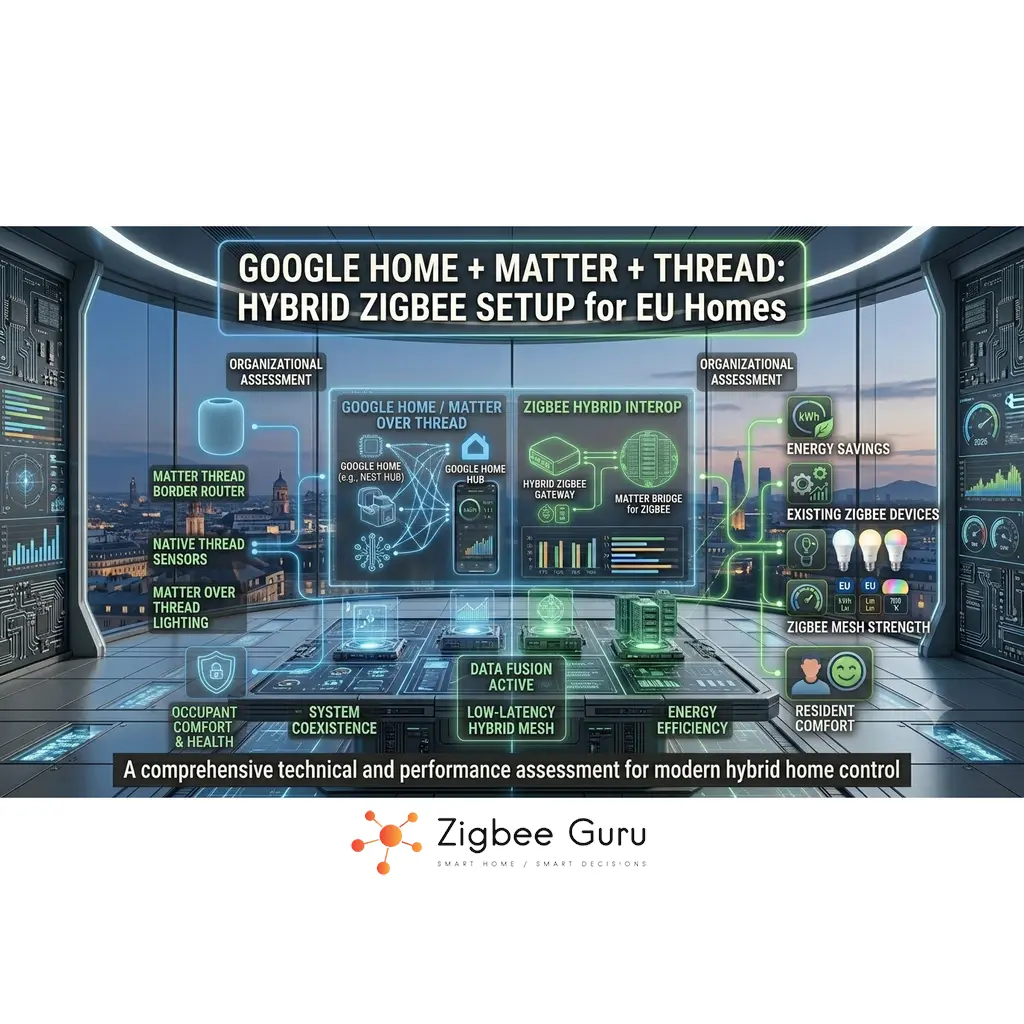
Google Home has quietly transformed into a multi-protocol smart home platform that understands Matter, Thread and a wide range of cloud-connected devices. For many European homes, the real challenge is not picking a single protocol but making these layers work together in buildings with concrete walls, mixed Wi-Fi coverage and existing hardware.
At the same time, low-cost Zigbee sensors for motion, contact, temperature and power monitoring are already installed in huge numbers. Replacing them all with Matter devices is rarely cost-effective. The smarter approach is to keep Zigbee as a reliable sensor and actuator layer, and use Google Home, Matter and Thread as the orchestration and interoperability layer on top — a mirror of the Zigbee vs Thread vs Matter layered thinking that has become dominant in 2026.
This guide explains how Google Home fits into a hybrid architecture where Matter and Thread power new devices, while Zigbee continues to handle dense, low-power sensing. We focus on EU frequency realities, recommended bridge options and practical design patterns for stable, low-latency integrations. For the sibling Apple Home version, see Apple Home + Matter + Thread: Hybrid Zigbee Setup for EU Homes.
Table of Contents
- Google Home + Matter + Thread: Overview
- How Google Home Handles Matter and Thread
- Zigbee Bridge Options for Google Home
- Recommended Hybrid Architectures
- Network & RF Planning for EU Homes
- Onboarding Devices: Matter, Thread and Zigbee
- Automation Design with Google Home
- Security, Privacy and Cloud Dependence
- Comparison Table: Design Approaches
- Conclusion
- FAQ
Google Home + Matter + Thread: Overview
Google Home is now a multi-layer platform. The Google Home app orchestrates devices exposed via Matter, classic cloud integrations and, indirectly, Zigbee through bridges and hubs. Matter provides a common application layer over IP, while Thread delivers a low-power IPv6 mesh for compatible Matter endpoints.
Zigbee remains a separate 802.15.4 mesh technology with its own application stack, often used through vendor hubs or DIY controllers. In a hybrid design for EU homes, Zigbee typically provides dense sensing and switching, Matter adds cross-ecosystem interoperability, and Google Home unifies control, scenes and voice.
The key is to recognise that no single protocol does everything best. Wi-Fi covers high-bandwidth devices, Thread and Zigbee serve low-power mesh roles, and Matter coordinates application-level semantics across ecosystems, including Google Home, Apple and others.
- Google Home app: central UI and automation engine
- Matter: interoperable application layer over IP
- Thread: low-power IPv6 mesh for Matter endpoints
- Zigbee: mature mesh for budget sensors and actuators
How Google Home Handles Matter and Thread
In the Google ecosystem, certain Nest devices act as Matter controllers and, in most cases, as Thread Border Routers. They onboard Matter devices using setup codes, maintain secure sessions and expose capabilities to the Google Home app and automation engine. Matter can run over Wi-Fi or Thread, but in both cases the controller maintains the logical “fabric” of devices.
Thread support is provided by devices that function as Thread Border Routers. These nodes connect the Thread mesh to the home IP network, allowing the Matter controller to reach Thread endpoints via IPv6 and 6LoWPAN. The result is a low-power mesh for battery devices that still integrates cleanly with IP-based services. Not every Google device has a Thread radio — the Nest Hub (2nd gen), Nest Hub Max, Nest Wifi Pro and Google TV Streamer (4K) do; the older Nest Mini and Nest Audio do not (see FAQ for the current list).
Zigbee, by contrast, is not built into Google Nest hardware. Instead, Google Home discovers Zigbee devices indirectly via cloud-linked hubs or Matter bridges. The Google Home app sees a unified list of devices, even though some are IP-native Matter devices and others are classic Zigbee endpoints behind a bridge.
- Nest devices act as Matter controllers on the IP network
- Thread Border Routers link the Thread mesh to home IP
- Matter-over-Wi-Fi devices join directly via the home router
- Zigbee devices appear via vendor bridges or local controllers
Zigbee Bridge Options for Google Home
Because Google hardware does not provide a general Zigbee radio, Zigbee enters the Google Home graph through bridges. These can be vendor-specific lighting bridges, multi-purpose hubs or DIY controllers that expose devices via cloud APIs or, increasingly, via Matter bridge functionality defined by the Connectivity Standards Alliance (CSA). For a fuller comparison of gateway options, see Best Zigbee Hubs for EU Homes.
Vendor lighting bridges — most commonly Philips Hue Bridge — manage Zigbee bulbs, switches and accessories, then sync scenes and device lists to Google Home over the internet. Multi-purpose hubs such as IKEA DIRIGERA and Aqara Hub M3 aggregate sensors, relays and wall switches from various brands and provide a single integration point. DIY controllers, such as those running Zigbee2MQTT or ZHA inside Home Assistant, can present a virtual layer of devices to Google Home through supported integrations.
When evaluating Zigbee bridges, look at radio quality, firmware update policy, local control capabilities and whether the vendor plans to support formal Matter bridging. This determines how portable your Zigbee investment will be if you later add or change ecosystems. For an introduction to Zigbee itself, see What Is Zigbee?.
- Lighting bridges for bulbs and remotes
- Multi-purpose hubs for sensors, plugs and switches
- DIY controllers exposing Zigbee via local APIs
- Matter bridges as a long-term integration strategy
Recommended Hybrid Architectures
A practical starting architecture for EU homes is “Matter-first, Zigbee-backbone”. New visible devices such as plugs, light switches and thermostats are acquired as Matter-compatible when possible, preferably with Thread support for battery-powered nodes. Existing Zigbee sensors and lighting remain in place, connected to Google Home via stable bridges.
For more advanced setups, a local controller can manage Zigbee and other non-Matter technologies, while Google Home focuses on voice and high-level automations. In this model, the local controller exposes selected devices and scenes to Google Home, keeping mission-critical logic inside the home network rather than the cloud — an architecture explored in depth in Local vs Cloud Smart Home Automations.
Small apartments may be well served by a simple architecture with one or two Matter controllers and a single Zigbee bridge. In larger detached houses with thick masonry, multiple Thread Border Routers and carefully placed Zigbee routers (plugs, in-wall relays) are recommended to maintain mesh quality across floors and outdoor areas.
Design for the building first, protocols second. Concrete, brick and steel shape your network far more than brand names on the box.
- Matter-first for new devices, Zigbee for dense sensing
- Bridges or local controllers for non-Matter technologies
- Extra Thread Border Routers and Zigbee routers in large homes
- Google Home as orchestration and user interface layer
Network & RF Planning for EU Homes
In European deployments, Zigbee and Thread typically share the 2.4 GHz 802.15.4 band, while Wi-Fi uses 2.4 GHz channels 1–13 and higher bands such as 5 GHz and 6 GHz. Reinforced concrete floors, brick walls and metal shutters can heavily attenuate 2.4 GHz, which directly affects both Zigbee and Thread mesh performance. For the full channel-selection framework, see Zigbee Channels in EU Homes; for diagnosing symptoms of Wi-Fi crowding, see Zigbee + Wi-Fi Interference in EU Apartments.
Where possible, offload high-throughput devices to 5 GHz or 6 GHz Wi-Fi to reduce congestion in the 2.4 GHz band. Place Thread Border Routers, routers and Zigbee bridges away from metal racks, fridges and dense wiring. Central locations on intermediate floors often give the best coverage for multi-storey houses.
Mains-powered nodes, such as smart plugs and fixed luminaires, should be positioned strategically so they can act as mesh routers. A sparse mesh of only battery devices will not perform well. In long corridors or L-shaped floorplans, adding a single extra router device can dramatically improve latency and reliability — the same principle discussed in Zigbee Range Problems.
- Prioritise 5 GHz/6 GHz Wi-Fi for heavy clients
- Avoid stacking access points, Thread Border Routers and Zigbee hubs together
- Use mains-powered devices as intentional mesh routers
- Account for stairwells, lift shafts and garages when planning coverage
Onboarding Devices: Matter, Thread and Zigbee
Matter devices are typically commissioned by scanning their QR code or entering a numeric setup code in the Google Home app. For Wi-Fi-based Matter devices, ensure they connect to the same logical network as your Google Home controllers. Avoid isolated guest networks, as these can block discovery and control traffic.
Thread-based Matter endpoints first join the Thread mesh using network credentials distributed by a Thread Border Router. Once on the mesh, they become reachable via IPv6, and the Matter controller in the Google ecosystem can complete onboarding. Proper IPv6 and multicast support on your home router is essential for stable operation.
Zigbee onboarding depends on the chosen bridge. Most vendor hubs expose a “search for new devices” mode, after which sensors and actuators can be paired by following manufacturer instructions. Pairing close to the hub and then moving devices to their final location often improves initial routing and reduces early packet loss.
- Keep Matter commissioning and controllers on the same IP segment
- Verify that Thread Border Routers are visible in Google Home
- Pair Zigbee devices near the bridge, then relocate them
- Document which devices are native Matter and which are bridged Zigbee
Automation Design with Google Home
Google Home automations have historically run largely in the cloud, but the situation improved significantly with Matter. For Matter-enabled devices, Google’s own documentation confirms that commands are sent directly over the home wireless network rather than being routed through the Nest cloud, which shortens response times and removes one failure point. When designing a hybrid system, it is still useful to classify automations into comfort, security and energy-related groups, and decide which ones must remain responsive even if the internet is unreliable.
Zigbee sensors routed through local bridges can provide fast, consistent triggers for lighting and occupancy logic. Matter devices, especially those on Thread, can be equally responsive when controlled by nearby Border Routers. The combination allows many scenes to feel “local” from the user’s perspective, even when parts of Google’s automation logic still run in the cloud — for example, cross-device orchestration and voice.
Good practice is to design short, deterministic chains: “Zigbee motion sensor → Zigbee or Matter light → Google Home automation for enhancements such as announcements or schedule overrides”. This avoids dependence on multi-hop cloud calls for critical comfort actions like turning lights on at night. The same pattern applies with more weight to energy-critical flows such as Zigbee-driven HVAC control, where local reliability directly translates into daily comfort and heating cost.
- Reserve complex, cloud-heavy flows for non-critical use cases
- Use local Zigbee and Thread paths for latency-sensitive triggers
- Ensure scenes are still usable via app taps when voice is unavailable
- Regularly review automations for redundant or conflicting rules
The best hybrid Google Home automations feel instant and predictable, even when you forget how many protocols are working behind the scenes.
Security, Privacy and Cloud Dependence
Hybrid systems rely on multiple trust anchors: Google accounts, vendor clouds, Matter fabrics and local controllers. Each Zigbee bridge or Thread Border Router adds an additional surface area, so understanding where data flows and which services require internet access is important for risk management. For a deeper treatment of the local-vs-cloud tradeoff, see Local vs Cloud Automations.
Matter is designed with strong end-to-end security, using certificates and setup codes to establish membership in a fabric. Zigbee uses network keys and link-layer encryption, but key management is vendor-specific. Thread, as an IPv6 mesh, benefits from established IP security practices and can be combined with network segmentation at the router level.
In practice, you should keep firmware up to date, enable multi-factor authentication on all relevant accounts and place IoT devices on a separate SSID or VLAN where possible. Periodic review of activity logs, voice history and permission grants in Google Home and vendor apps is an effective way to catch misconfigurations early. Under the revised EU EPBD framework, energy-consumption data from smart home devices is also becoming more relevant for regulatory reporting, which is another argument for keeping sensitive telemetry local.
- Use strong, unique passwords and multi-factor authentication
- Segment IoT networks from personal laptops and phones
- Apply firmware updates to bridges, routers and controllers promptly
- Review third-party access and data-sharing settings regularly
Comparison Table: Design Approaches
The table below compares typical hybrid designs that combine Google Home, Matter, Thread and Zigbee in EU residential environments.
| Architecture | Description | Strengths | Vendor lock-in risk | Trade-Offs |
|---|---|---|---|---|
| Matter-only with Google Home | Google Home controls only Matter devices over Wi-Fi and Thread, no Zigbee layer. | Simple design, fewer components, straightforward troubleshooting. | Low — Matter is portable across ecosystems | Limited access to low-cost Zigbee sensors and legacy installations. |
| Google Home + Zigbee via vendor bridges | Zigbee bulbs and sensors connect to brand-specific hubs integrated with Google Home. | Leverages mature Zigbee ecosystems, easy onboarding for supported brands. | Medium — depends on vendor cloud policies | Multiple clouds and apps, varying local-control capabilities across vendors. |
| Google Home + Matter + Zigbee bridges | Matter devices are native; Zigbee remains behind bridges that sync devices into Google Home. | Balanced evolution path, keeps existing Zigbee while adding modern Matter endpoints. | Low-Medium — Matter layer reduces lock-in | More complex topology, requires careful RF and IP planning. |
| Google Home + local controller for Zigbee | A local controller manages Zigbee and other protocols, exposing selected devices to Google Home. | Local-first logic, deep diagnostics and flexibility for power users. | Lowest — local logic is fully portable | Highest complexity and maintenance burden, best suited to technically confident users. |
Conclusion
Google Home, Matter, Thread and Zigbee are complementary pieces of a modern EU smart home. Google Home offers a unified interface and automation engine, Matter delivers cross-ecosystem semantics over IP, Thread provides a low-power IPv6 mesh, and Zigbee continues as a robust, cost-effective field bus for sensors and actuators.
The most resilient designs treat Zigbee and Thread as RF infrastructure and Matter as the common language that higher-level platforms, including Google Home, use to describe devices and capabilities. This separation makes it easier to evolve hardware over time without rewriting the entire system.
By planning RF coverage carefully, choosing stable Zigbee bridge options and keeping security practices disciplined, EU homeowners can build hybrid Google Home setups that remain reliable, responsive and adaptable as new generations of Matter and Zigbee devices appear. Natural next steps: for concrete Thread Border Router hardware choices, see Best Matter Controllers and Thread Border Routers for EU Homes; for a mirror-architecture in the Apple ecosystem, see the Apple Home + Zigbee hybrid guide.
FAQ
This FAQ covers common questions about using Google Home with Matter, Thread and Zigbee bridges in European homes.
- Do I need Thread to use Matter with Google Home?
No. Matter also works over Wi-Fi. Thread becomes important when you want low-power, battery-operated devices to form a mesh. Many plugs and lights will operate as Matter-over-Wi-Fi endpoints without any Thread infrastructure. - Which Google/Nest devices act as Thread Border Routers?
As of 2026, the Nest Hub (2nd generation), Nest Hub Max, Nest Wifi Pro mesh router, and Google TV Streamer (4K) include Thread radios and act as Thread Border Routers within Google Home. The Google Home Speaker (announced for spring 2026) is also Matter- and Thread-compatible. The older Nest Audio, Nest Mini, and original Google Home speakers can act as Matter controllers over Wi-Fi but do not have Thread radios, so they cannot commission or route Matter-over-Thread accessories. Without at least one of the Thread-capable devices, Matter-over-Wi-Fi devices still work but Matter-over-Thread devices cannot join Google Home. - Can Google Home talk directly to Zigbee devices?
Not in general. Current Google hardware focuses on Matter and Thread. Zigbee devices are usually integrated via vendor bridges (Philips Hue, IKEA DIRIGERA, Aqara) or local controllers such as Home Assistant with Zigbee2MQTT that present them to Google Home through cloud or supported APIs. - Can I use Home Assistant and Google Home at the same time?
Yes, and it is a common power-user pattern. Home Assistant can expose its entities to Google Home via the Google Assistant integration, so Zigbee devices managed locally by Home Assistant remain visible to Google Home for voice and scene control. A pragmatic split is to keep fast, latency-sensitive automations (motion → light) inside Home Assistant, and use Google Home for voice, cross-device orchestration and remote access. - Is it worth keeping my existing Zigbee sensors?
Yes in most cases. Zigbee sensors are inexpensive, mature and widely deployed. Bridging them into Google Home alongside new Matter devices is usually more economical than replacing them all with native Matter equivalents. - Will Zigbee and Thread interfere with my 2.4 GHz Wi-Fi?
They can, because they all operate in the 2.4 GHz band. Careful channel selection, using 5 GHz or 6 GHz for heavy Wi-Fi clients and thoughtful placement of access points and hubs minimises practical interference. - What happens to my hybrid setup if the internet goes down?
Local interactions between bridges, Matter controllers and devices can continue, especially for Zigbee and Thread meshes. For Matter devices specifically, Google’s documentation confirms that commands are sent directly over the home network rather than via the Nest cloud, so many lights and sensors keep responding. However, Google Home’s cloud-based features, remote access and some legacy cloud-only automations may be impaired until connectivity returns.



