
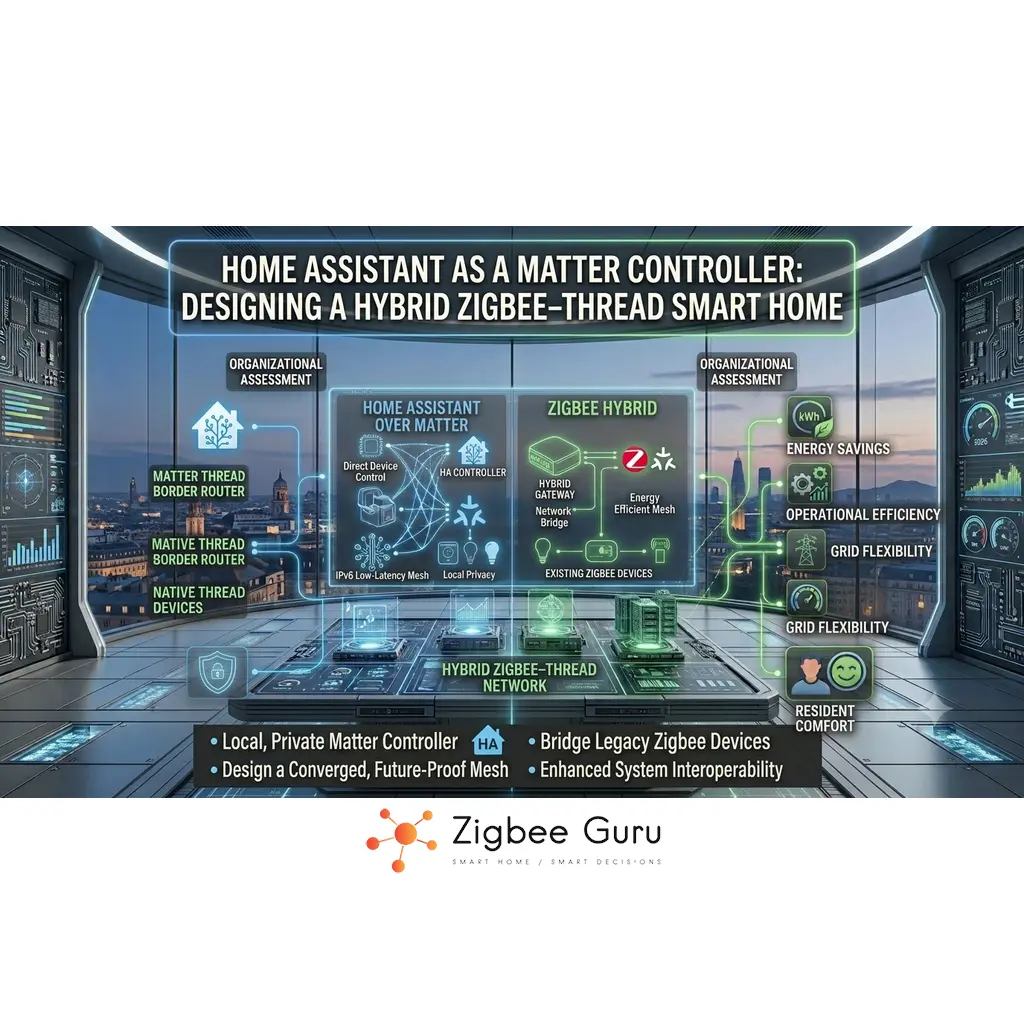
Home Assistant is increasingly capable of acting as a full Matter controller, while still handling classic Zigbee networks through ZHA or Zigbee2MQTT. This makes it a strong candidate for the central brain of a modern European smart home, where new Thread devices must coexist with existing Zigbee sensors, plugs and relays.
Instead of replacing everything with Matter on day one, you can design a hybrid architecture: Matter and Thread for new, energy-efficient devices, Zigbee for mature, inexpensive hardware, and Wi-Fi for bandwidth-heavy loads. Home Assistant then becomes the integration layer that understands all three worlds — the same layered thinking applied in Zigbee vs Thread vs Matter, but with a local-first philosophy that differs from vendor ecosystems.
This guide explains how to use Home Assistant as a Matter controller, how to combine it with Zigbee and Thread in the same EU home, and what decisions you should make up front about hardware, network layout and automations to avoid painful rework later. For the vendor-ecosystem counterparts, see the sibling guides for Apple Home, Google Home and Amazon Alexa.
Table of Contents
- Home Assistant as a Matter Controller: Overview
- Why Use Home Assistant as a Matter Controller?
- Hybrid Topology: Zigbee, Thread and Wi-Fi Together
- Choosing Hardware: Coordinators, Radios and Border Routers
- Network Planning for EU Apartments and Houses
- Onboarding Matter, Thread and Zigbee Devices
- Automation Patterns in a Hybrid Stack
- Observability and Troubleshooting Techniques
- Comparison Table: Architectures and Trade-Offs
- Conclusion
- FAQ
Home Assistant as a Matter Controller: Overview
Matter is an application-layer protocol that runs over IP (usually IPv6), designed to let devices from different brands interoperate in a consistent way. A Matter controller is the device that onboards, configures and controls these endpoints, as well as exposing them to automations and dashboards.
Home Assistant can act as a Matter controller via built-in integrations and suitable hardware, while still running its existing Zigbee stacks (ZHA or Zigbee2MQTT) and other protocols. This makes it possible to manage Thread-based Matter sensors and classic Zigbee devices side by side through one interface.
In European homes, this is especially valuable because many reliable and affordable devices are still Zigbee-only, while newer products increasingly use Matter over Thread or Matter over Wi-Fi. A hybrid approach avoids throwing away stable Zigbee networks while still adopting the new standard where it makes sense.
- Matter over IP for interoperability and multi-admin
- Thread mesh for low-power, low-latency devices
- Zigbee mesh as a proven, cost-effective backbone
- Home Assistant as the central control and automation engine
Why Use Home Assistant as a Matter Controller?
Vendor ecosystems like Apple Home, Google Home or Alexa are convenient but opinionated. They decide how devices are grouped, how automations work and how much low-level detail you can see. Home Assistant, by contrast, offers deep observability and flexible logic while still participating in the Matter ecosystem. For the deeper local-vs-cloud framework this choice reflects, see Local vs Cloud Smart Home Automations.
By running Home Assistant as a Matter controller, you can integrate Matter devices into complex automations that also involve Zigbee sensors, local IP endpoints and even industrial-style hardware. You can still share these devices with vendor apps using Matter’s multi-admin features if you want voice control or remote access via cloud services.
This design also mitigates vendor lock-in. If you later change your primary voice ecosystem, your core device graph and automations remain in Home Assistant. Only the “edge” integrations with individual voice assistants or vendor apps need to be adjusted, not the internal model of your home. This is a fundamentally different posture from the vendor-ecosystem hybrid architectures, where the vendor’s cloud sits closer to the automation logic.
- Unified automation engine for Matter, Zigbee and IP devices
- Reduced dependence on any single vendor cloud
- Ability to keep local control during internet outages
- More transparent debugging when something behaves strangely
Hybrid Topology: Zigbee, Thread and Wi-Fi Together
A realistic EU smart home in 2026 often looks like this: a Wi-Fi router providing general connectivity, one or more Thread Border Routers handling low-power Matter devices, and a Zigbee coordinator plus routers forming a separate mesh for legacy sensors and actuators. Home Assistant sits on the IP side and speaks to all of them.
Thread and Zigbee both use IEEE 802.15.4 in the 2.4 GHz band, but Thread carries IPv6 packets and is designed to integrate directly with the rest of your IP network. Zigbee, on the other hand, has its own application layer and typically reaches Home Assistant via a serial or TCP coordinator link rather than through native IP routing. For the full EU 2.4 GHz coexistence picture, see Zigbee Channels in EU Homes and Zigbee + Wi-Fi Interference in EU Apartments.
This separation can be an advantage: Zigbee remains a dedicated field bus for inexpensive, battery-powered devices, while Thread hosts newer Matter endpoints that can be shared with vendor ecosystems. Home Assistant then becomes the only place where both meshes are fully visible and can be coordinated with Wi-Fi devices such as cameras and streaming speakers.
- Wi-Fi: high bandwidth, higher power, good for media
- Zigbee: mature mesh for cheap sensors and lighting
- Thread: modern IPv6 mesh for Matter endpoints
- IP backbone: links Home Assistant, routers and border routers
Choosing Hardware: Coordinators, Radios and Border Routers
Designing a hybrid Zigbee–Thread home starts with hardware choices. You need a host for Home Assistant, at least one Zigbee radio for ZHA or Zigbee2MQTT, and at least one Thread Border Router. Some devices can combine roles, but splitting them can simplify debugging and upgrades.
The 2026 Home Assistant Hardware Landscape
The official hardware situation shifted noticeably in late 2025 and early 2026. Nabu Casa — Home Assistant’s commercial arm — currently sells three main products for European buyers:
- Home Assistant Green (~€179): the current entry-level official hub. Plug-and-play, ships with 4 GB RAM and 32 GB eMMC. Does not include a Zigbee or Thread radio — you add one via USB. This is the recommended starting point for most new EU users in 2026. Check price on Amazon
- Home Assistant Connect ZBT-2 (~€45): USB Zigbee/Thread radio from Nabu Casa, released November 2025. Pairs cleanly with the Green over USB-C. Important architectural constraint: ZBT-2 can only run either Zigbee or Thread at a time, not both simultaneously. If you need both meshes in parallel, plan for a second radio or a separate Thread Border Router. Check price on Amazon
- Home Assistant Yellow: the previous flagship, with built-in Zigbee/Thread radio, M.2 NVMe slot and swappable Compute Module. Out of production since October 2025, only available as remaining stock or second-hand. Still fully supported in software for existing owners, but no longer a viable “buy new” option in 2026.
The older Home Assistant Connect ZBT-1 (originally sold as SkyConnect from 2022) is discontinued as of November 2025 and replaced by the ZBT-2. Existing ZBT-1 units continue to work and receive software updates, but new buyers should choose ZBT-2. Third-party alternatives such as SONOFF’s Zigbee 3.0 USB Dongle Plus and various SLZB-06 models remain popular and are also fully supported.
ZHA vs Zigbee2MQTT: Which Zigbee Stack?
Home Assistant supports two main Zigbee integrations that speak to the same underlying coordinator radio:
- ZHA (Zigbee Home Automation): the built-in integration, no extra services to run. Simpler to set up, good for smaller Zigbee networks (up to ~50 devices) and users who want the fewest moving parts. Recommended for the Home Assistant Green + ZBT-2 default install.
- Zigbee2MQTT: runs as a separate add-on with its own MQTT broker. Broader device support (especially for obscure Tuya and Chinese OEM devices), more advanced diagnostics, and better performance for larger networks. Recommended once you exceed ~50 devices or if you use unusual Chinese-market hardware. See What Is Zigbee2MQTT for the deeper picture.
The Zigbee side is usually built around a dedicated coordinator radio that connects via USB or serial. On the Thread side, you can either rely on vendor products that expose Thread networks to Home Assistant, or use a dedicated OpenThread Border Router integration on your ZBT-2 or Yellow.
When possible, prefer radios that support European 2.4 GHz regulations out of the box and can be firmware-updated as standards evolve. Placing these radios away from the main Wi-Fi router and metallic enclosures helps both Zigbee and Thread achieve better link quality indicators and lower packet loss — see Zigbee Range Problems for the RF fundamentals.
- Host system sized for long-term Home Assistant growth
- Dedicated Zigbee coordinator with good RF design
- At least one Thread Border Router integrated with IP network
- Stable power and storage to minimise unexpected reboots
Network Planning for EU Apartments and Houses
European buildings often have thick brick or concrete walls and multi-storey layouts, which heavily attenuate 2.4 GHz signals. At the same time, multi-dwelling units in cities may have tens of overlapping Wi-Fi networks. Both factors affect Zigbee and Thread performance, so RF planning is as important as logical architecture.
Start by deciding where your main networking stack will live: ideally in a central, elevated position rather than in a corner cabinet or basement. Place Zigbee and Thread radios with some physical separation from the main Wi-Fi access point, and avoid directly stacking antennas or hiding them behind metal appliances.
For small apartments, a single Zigbee coordinator and a single Thread Border Router may be sufficient, backed by several mains-powered routers (smart plugs, in-wall modules, etc.). Larger houses usually benefit from a few strategically placed routers per floor, or from combining Zigbee lighting routers with Thread Border Routers near staircases and central corridors. When routes go bad and devices start dropping, the diagnostic patterns in Why Zigbee Devices Lose Connection apply directly.
- Avoid placing radios directly behind TVs or fridges
- Use mains-powered devices to strengthen both meshes
- Where possible, keep Wi-Fi heavy traffic on 5 GHz or 6 GHz
- Document where each coordinator and router is physically located
Onboarding Matter, Thread and Zigbee Devices
Onboarding flows differ between protocols. Zigbee devices are typically paired directly with Home Assistant via the Zigbee integration you use, with the coordinator taking control of the device and forming a Zigbee mesh. Matter devices, by contrast, are commissioned using setup codes and cryptographic pairing to a Matter controller, which in this case is Home Assistant.
Thread-based Matter devices first join the Thread mesh via a Thread Border Router, then become visible to Matter controllers on the IP network. It is therefore essential that your Thread Border Router and Home Assistant share the same routed IPv6 domain, with multicast working correctly. Misconfigured guest networks or complex VLAN setups can break discovery.
A best practice is to onboard devices in a structured way: first stabilise the Zigbee mesh with routers, then add Thread Border Routers, and finally commission Matter devices. Testing each layer as you go reduces the risk of chasing problems that are really caused by the underlying network rather than the device itself.
- Pair Zigbee devices close to the coordinator, then move them
- Check that Thread Border Routers appear correctly in Home Assistant
- Commission Matter devices with clear naming and areas
- Verify control from both Home Assistant and any vendor apps
Automation Patterns in a Hybrid Stack
Once devices are onboarded, the main advantage of using Home Assistant as a Matter controller is the ability to build rich, protocol-agnostic automations. A Zigbee motion sensor can trigger a Matter over Thread light, while a Thread contact sensor can arm or disarm a Zigbee-based alarm siren, all in the same automation editor.
For reliability, it is usually best to keep core safety or comfort automations local to Home Assistant and avoid unnecessary dependencies on external clouds. Voice assistants and vendor apps can still be used as input or supervisory layers, but the decision logic should remain on the local controller wherever possible. Energy-critical flows such as Zigbee HVAC control especially benefit from this local-first pattern.
Another useful pattern is to treat vendor ecosystems as “views” into the same device set rather than as separate control planes. Matter’s multi-admin capability allows one physical device to appear in several ecosystems, but Home Assistant can remain the only place where cross-protocol logic and historic data live.
- Use protocol-neutral scenes and groups
- Prefer local triggers and conditions for latency-sensitive tasks
- Reserve cloud routines for non-critical convenience actions
- Log key metrics (battery, LQI, latency) for long-term tuning
Observability and Troubleshooting Techniques
Hybrid Zigbee–Thread–Matter setups introduce more moving parts, so observability is critical. Home Assistant can expose per-device states, last-seen timestamps, route information (for Zigbee) and error logs that help you distinguish between RF issues, IP routing problems and higher-level automation bugs.
When something misbehaves, start by checking basic connectivity: does the device respond to pings or attribute reads, does the mesh show stable neighbours, and are there any obvious drops in LQI or RSSI? For Matter devices, also confirm that your Thread Border Routers are online and that your IPv6 and multicast configuration have not changed.
It is often helpful to temporarily simplify the environment. Disable non-essential automations, test direct control from Home Assistant, and confirm that vendor apps see the same device state. If a device works reliably when placed closer to a coordinator or Border Router, RF conditions are likely the root cause rather than software. Under the revised EU regulatory framework, keeping energy-consumption telemetry local also aligns with the EPBD smart-readiness direction, so local logging serves a dual purpose.
- Use built-in network maps and logs in Home Assistant
- Check time synchronisation and controller uptime
- Monitor for patterns around specific times or loads
- Document fixes so future troubleshooting is faster
Treat your hybrid Zigbee–Thread smart home like a small lab network: measure, document and adjust instead of guessing.
Comparison Table: Architectures and Trade-Offs
The table below compares common architectures for EU homes, from pure vendor ecosystems to fully DIY hybrid deployments centred on Home Assistant as a Matter controller.
| Architecture | Description | Main Advantages | Vendor lock-in risk | Main Trade-Offs |
|---|---|---|---|---|
| Vendor-only Matter + Thread | Single ecosystem (Apple, Google or Alexa) with built-in controllers and Thread Border Routers. | Simple setup, strong UX, minimal maintenance. | Medium-High — vendor cloud policies affect operation | Limited diagnostics, more vendor lock-in, less flexibility. |
| Home Assistant + Zigbee only | Home Assistant with a Zigbee coordinator and routers, no Matter or Thread. | Mature ecosystem, low cost devices, strong local control. | Low — local logic is portable | No native Matter interoperability, harder to share with vendor apps. |
| Home Assistant as Matter controller + vendor bridges | Home Assistant runs Matter, Zigbee and vendor bridges; vendor apps used mainly for voice. | Flexible, good local control, devices still visible in vendor apps. | Low — HA owns the core graph | More components to maintain, requires careful design. |
| Fully hybrid: HA + Matter + Thread + Zigbee | Home Assistant as central controller with both Thread Border Routers and Zigbee mesh. | Maximum flexibility and observability, future-proof topology. | Lowest — fully local, portable everywhere | Highest complexity, needs good documentation and RF planning. |
Conclusion
Using Home Assistant as a Matter controller lets you combine the strengths of modern Thread-based devices with the proven reliability and low cost of Zigbee hardware. Instead of choosing between “old” Zigbee and “new” Matter, you design a layered system where each protocol does what it is best at.
The key is deliberate architecture: choose solid hardware for your coordinators and Thread Border Routers (in 2026, that most commonly means a Home Assistant Green paired with a Connect ZBT-2 for beginners, or a second-hand Yellow for those who want an integrated radio), plan your RF environment with EU building realities in mind, and keep as much logic as possible on the local controller. Vendor apps and voice assistants then become optional views into the same underlying system.
With this approach, your smart home can evolve over many years. You can add Matter devices as they become attractive, keep Zigbee where it remains the most economical choice, and still maintain a single, coherent control plane centred on Home Assistant. Natural next steps: for the vendor-ecosystem parallels, see Apple Home Hybrid, Google Home Hybrid and Amazon Alexa Hybrid; for concrete Thread Border Router hardware choices, see Best Matter Controllers and Thread Border Routers for EU Homes.
FAQ
This FAQ addresses common questions about using Home Assistant as a Matter controller in a hybrid Zigbee–Thread smart home.
- Do I need a separate Thread Border Router if Home Assistant already controls Zigbee?
Yes. Zigbee and Thread are separate 802.15.4 networks. A Zigbee coordinator cannot act as a Thread Border Router, so you need at least one device that provides Thread and bridges it to your IP network for Matter over Thread devices. - Home Assistant Green or Yellow in 2026?
For most new EU buyers, Home Assistant Green paired with a Connect ZBT-2 is the recommended path in 2026. The Green (~€179) is the current official plug-and-play hub, and adding the ZBT-2 (~€45) gives you Zigbee or Thread over USB. Home Assistant Yellow has been out of production since October 2025 and is only available as remaining stock or second-hand — it remains fully supported for existing owners, but is no longer the obvious “buy new” choice. If you already own a Yellow, keep it; if you are starting fresh, Green + ZBT-2 is simpler and better supported for the long term. - Can Home Assistant Connect ZBT-2 run Zigbee AND Thread at the same time?
No. The ZBT-2 supports either Zigbee or Thread, but not both simultaneously. This “multiprotocol” mode is theoretically possible with the hardware but is not implemented reliably. If you need both a Zigbee coordinator and a Thread Border Router, plan for either two USB radios or a separate dedicated Thread Border Router (for example, one of the Apple, Google or Amazon devices already in your home). - ZHA or Zigbee2MQTT — which should I use?
For small networks (under about 50 devices) and standard Zigbee 3.0 hardware, ZHA is simpler and requires no extra services. For larger networks, unusual Chinese-market devices (Tuya OEM, MOES, etc.), or advanced diagnostics, Zigbee2MQTT is generally the better choice. Both stacks work with the same coordinator radio, so you can start with ZHA and migrate later if the network outgrows it. - Can I migrate all my Zigbee devices to Matter?
No. Zigbee and Matter are different stacks. Some hubs can act as Matter Bridges and expose existing Zigbee devices as Matter endpoints, but the radio on the device itself remains Zigbee. There is no firmware-only “upgrade” path for most installed Zigbee hardware. - Will my automations still run if the internet goes down?
If you design your system so that Home Assistant hosts the core automations and device control is local, most functions will continue working during internet outages. Cloud-based features like remote access or some vendor routines may stop, but room-level behaviour can remain unchanged. This local-first resilience is the main structural advantage of Home Assistant over vendor-only ecosystems. - Is it safe to run Zigbee and Thread in the same 2.4 GHz band?
Yes, as long as you plan channels and placement carefully. Both protocols use 802.15.4, but they can coexist with each other and with Wi-Fi. Avoid overlapping heavily with congested Wi-Fi channels and place radios to minimise interference and shadowing. - Can Home Assistant share Matter devices with Apple, Google or Alexa?
In many setups, yes. Matter’s multi-admin support allows the same physical device to be paired with multiple controllers. You can let Home Assistant run the main logic while still exposing selected devices to vendor ecosystems for voice control and mobile app access.



